
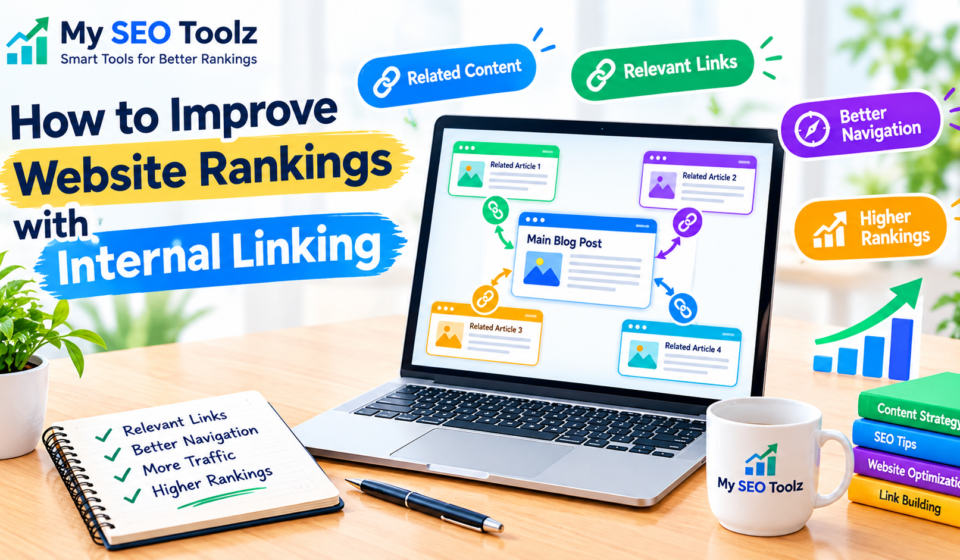

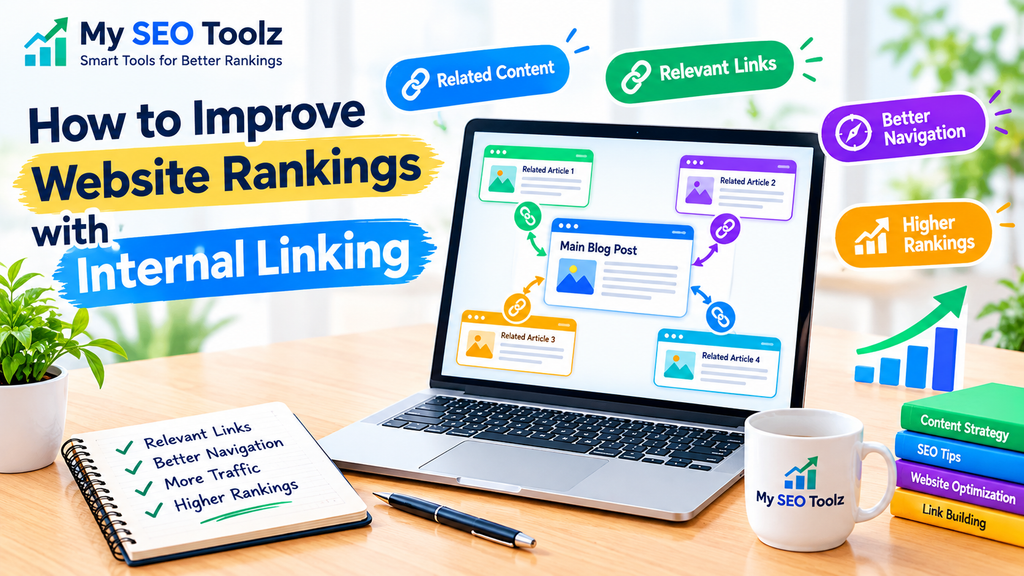
Internal linking is one of the simplest ways to improve your website structure and help visitors discover more useful content. When you publish several blog posts, connecting related articles makes it easier for readers to move from one page to another without leaving your website.
For example, if you write an article about keyword research, you can link it to another article about finding the right keywords for a website. This gives readers more information and helps search engines understand how your pages are connected.
The good news is that you do not need complicated tools or advanced technical knowledge to create a useful internal linking strategy. You can start by reviewing your existing articles and adding relevant links where they naturally help readers.
In this guide, you will learn what internal linking is, why it matters, and how to use it effectively on your website.
What Is Internal Linking?
Internal linking means adding a hyperlink from one page on your website to another page on the same website.
For example, if you publish two articles on My SEO Toolz, you can link the first article to the second whenever the topic is relevant.
An internal link might look like this:
Learn more in our guide to finding the right keywords for your website.
When a reader clicks this link, they move to another page on the same website.
Internal links are different from external links. Internal links connect pages within your own website, while external links point to pages on other websites.
Both can be useful, but internal linking is especially helpful when you want to organize your content and guide visitors toward related information.
Why Is Internal Linking Important?
Internal linking supports website navigation and helps search engines discover relationships between your pages. Here are the main benefits.
1. Helps Search Engines Discover Your Pages
Search engines use links to find and explore pages across the web. When an important page is linked from another accessible page, it can be easier for search engines to discover it.
This is particularly useful for newer websites that are still building their content.
Make sure your important pages can be reached through normal links, rather than relying entirely on visitors to find them through search.
2. Helps Visitors Find Related Content
A visitor reading one article may want to learn more about the same topic. Relevant internal links help them find additional information without searching your website manually.
For example, a reader learning about keyword research might also benefit from an article about long-tail keywords.
You can connect these topics through a natural sentence such as:
“If you want to target more specific search phrases, read our guide on how to use long-tail keywords to get more website traffic.”
Check that the destination URL is correct before publishing.
3. Helps Search Engines Understand Your Website Structure
A well-organized website has clear relationships between related pages. Internal links can help show which articles cover broad topics and which pages provide more detailed information.
For example, a main keyword research guide might link to separate articles about keyword difficulty, long-tail keywords, and search intent.
Together, these pages create a more organized learning experience for readers.
4. Can Help Important Pages Receive More Attention
When you link to an important page from relevant articles, you make that page easier for visitors to reach. Internal links can also help search engines understand its importance within your website.
However, adding more links does not automatically improve rankings. Links should be relevant, useful, and placed where they make sense.
How to Create an Effective Internal Linking Strategy
You can build a practical internal linking strategy by following these steps.
Step 1: Review Your Existing Blog Posts
Start by making a list of your published articles. Look for pages that discuss similar subjects or answer related questions.
For example, if your website publishes content about website optimization, your list might include:
- How to Find the Right Keywords for Your Website
- How to Use Long-Tail Keywords to Get More Website Traffic
- How to Improve On-Page SEO
- How to Write Unique Meta Descriptions
- How to Improve Website Visibility and Get More Traffic
These articles may offer natural opportunities to link to one another.
Do not add a link simply because two articles share a general topic. Make sure the linked page provides additional information that readers may actually need.
Step 2: Find Relevant Pages to Link Together
Choose links based on the reader’s next likely question.
For example, someone reading a beginner’s keyword research guide may want to understand how to identify low-competition search terms.
You could connect the two articles using a sentence such as:
“Once you understand the basics, explore our guide to finding low-competition keywords for a new website.”
This approach keeps your content useful and gives visitors a clear next step.
Step 3: Use Descriptive Anchor Text
Anchor text is the clickable wording of a link.
For example:
“Read our guide to keyword research for beginners.”
The phrase “keyword research for beginners” tells readers what they can expect from the linked page.
Avoid vague phrases such as “click here” whenever more descriptive wording would be helpful.
You should also avoid forcing the exact same keyword into every link. Use natural language that accurately describes the destination page.
Step 4: Link From Relevant Older Articles to New Articles
When you publish a new blog post, review your older content for relevant linking opportunities.
Suppose you publish a new article about internal linking. You can revisit older articles about website optimization, content planning, or SEO basics and add a link where it genuinely helps the reader.
This makes your new article easier to discover through your existing content.
You do not need to edit every old post. Start with the pages that are most closely related to the new topic.
Step 5: Create Topic Clusters
A topic cluster is a group of related articles organized around a main subject.
For example, a keyword research cluster might include:
- A main guide explaining keyword research
- An article about finding the right keywords
- An article about long-tail keywords
- An article about low-competition keywords
- An article explaining search intent
The main guide can link to the supporting articles, and those articles can link back to the main guide when useful.
This structure helps readers explore a subject in greater depth and creates clearer relationships between your pages.
Step 6: Link to Important Pages Naturally
Think about which pages are most useful to your audience. These might include your main guides, popular articles, important tools, or pages that explain a key topic.
Add links to those pages when the surrounding content makes them relevant.
For My SEO Toolz, you could link a blog post about writing page descriptions to your meta title and description generator if the tool helps readers complete the task.
Avoid adding links to unrelated tools or pages just to increase the total number of links.
Step 7: Check for Broken Internal Links
A broken link sends visitors to a page that cannot be found or accessed.
Broken links can create a frustrating experience and interrupt navigation. Review your internal links occasionally, especially after changing a URL, deleting a page, or moving content.
You can check links manually or use a website crawler to identify broken URLs.
When a link is broken, update it to the correct destination if one exists. If the destination no longer exists, remove the link or replace it with a genuinely useful alternative.
How Many Internal Links Should Each Blog Post Have?
There is no fixed number of internal links that every article must contain.
A short article might need only a few links, while a detailed guide may naturally contain more. The right number depends on the length of the article, its subject, and the needs of the reader.
Focus on these principles:
- Link when another page adds useful information.
- Use descriptive anchor text.
- Avoid repeating the same link unnecessarily.
- Keep links relevant to the surrounding paragraph.
- Make sure the destination page works correctly.
Do not add links just to reach a particular number. Helpful links are more valuable than unnecessary ones.
Common Internal Linking Mistakes to Avoid
Even a simple linking strategy can become less effective when links are added carelessly.
Linking to Unrelated Pages
A link should help the reader understand the topic or complete a related task. Links to unrelated pages can confuse visitors and make your content feel less useful.
Using the Same Anchor Text Everywhere
Repeatedly using the same exact-match keyword can make your writing sound unnatural. Vary your wording when appropriate, while keeping each link clear and accurate.
Forgetting Older Articles
Many website owners add links only when writing new content. Reviewing older articles can reveal opportunities to connect them with newer, relevant pages.
Leaving Important Pages Difficult to Find
If an important page has no links pointing to it from other accessible pages, visitors may struggle to discover it. Add relevant links from suitable pages and include important content in your website navigation where appropriate.
Adding Too Many Links
A paragraph filled with links can be difficult to read. Keep your writing natural and give readers a clear reason to follow each link.
How to Use Internal Linking for SEO, AEO, and GEO
A useful internal linking strategy can support different ways people discover information online.
SEO: Search Engine Optimization
For traditional search, internal links help visitors navigate your website and can help search engines discover pages and understand how content is connected.
Use descriptive links, maintain a logical site structure, and make important pages accessible through relevant links.
AEO: Answer Engine Optimization
For answer-focused search experiences, organize your content so that readers can easily find clear answers to related questions.
For example, an article explaining internal linking can connect readers to a separate guide about anchor text or website structure. Make sure each page answers its main question clearly.
Internal links alone do not guarantee that your content will appear in featured answers or answer engines.
GEO: Generative Engine Optimization
For generative search experiences, publish accurate, well-structured content that explains topics clearly and supports important claims with reliable information.
Link related articles together when doing so helps readers explore a subject. This improves navigation and content organization, but it does not guarantee that a generative search system will cite your website.
How to Add Internal Links in WordPress
If you use WordPress, adding an internal link is straightforward.
- Open your WordPress dashboard.
- Go to Posts → All Posts.
- Open the article you want to edit.
- Highlight the words you want to make clickable.
- Click the link icon in the editor toolbar.
- Paste the destination URL or search for an existing page.
- Confirm the link and check that it opens the correct page.
- Click Update to save your changes.
Before publishing, read the sentence again to make sure the link fits naturally.
If you are linking to another page on your own website, use its correct URL. You do not need to force every internal link to open in a new tab.
Frequently Asked Questions
1. What is internal linking in SEO?
Internal linking means connecting one page on your website to another page on the same website. It helps visitors navigate your content and can help search engines discover and understand your pages.
2. Do internal links help improve website rankings?
Internal links can support SEO by improving navigation, helping search engines discover pages, and clarifying relationships between content. However, internal linking alone does not guarantee higher rankings.
3. How many internal links should I add to a blog post?
There is no universal number. Add links wherever they provide useful context or help readers explore a related topic. Avoid adding unnecessary links simply to increase the count.
4. Should I link new blog posts to older articles?
Yes, when the older articles are relevant. You can also revisit older posts and link to new content where it naturally helps readers.
5. What is the best anchor text for an internal link?
The best anchor text is clear, descriptive, and relevant to the destination page. It should tell readers what they can expect when they click the link.
6. Can internal links help Google discover new pages?
Yes. Internal links can help search engines discover accessible pages. However, linking does not guarantee indexing. Make sure your pages are accessible and technically sound.
7. Are internal links and backlinks the same?
No. Internal links connect pages on the same website. Backlinks are links from other websites that point to your website.
Final Thoughts
Internal linking is a practical way to make your website easier to navigate and your content better connected. You do not need to add dozens of links to every article. Start by identifying related pages, using clear anchor text, and linking wherever another page genuinely helps the reader.
For My SEO Toolz, build links between your keyword research guides, website optimization articles, and relevant SEO tools. Review those links whenever you publish new content, and check that each destination works correctly.
A consistent, reader-focused approach can improve the structure of your website and support your wider content strategy over time.