

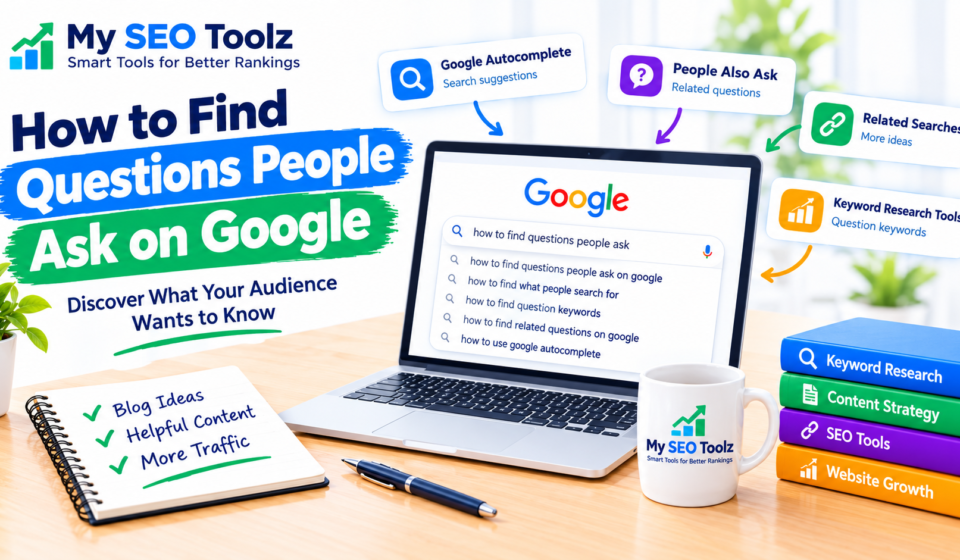

Finding questions people ask on Google is a simple way to understand what your audience wants to know. When people search online, they often type questions such as “How do I improve my website traffic?” or “What is keyword research?” These searches can help you discover useful topics for your blog.
If you want to grow your website, attract more visitors, and create helpful content, learning how to find Google search questions is a great starting point.
You do not always need expensive tools to find these questions. Google itself provides several useful features that can help you discover what people are searching for.
In this guide, you will learn how to find questions people ask on Google, which free tools to use, and how to turn those questions into blog post ideas.
Why Is Finding Google Search Questions Important?
Before writing a blog post, it is important to understand what your audience wants to learn. Writing about a topic that people are already interested in can help you create more useful content.
Here are some reasons why finding popular search questions matters:
- Understand your audience: Learn about the problems people want to solve.
- Discover blog topics: Find new ideas for articles that answer real questions.
- Improve search visibility: Create content that matches what people are looking for.
- Find long-tail keywords: Discover specific phrases that may have less competition.
- Build trust: Give readers clear answers to their questions.
For example, instead of writing a general article about website traffic, you could write “How to Increase Website Traffic Without Paid Ads.” This topic addresses a specific problem and gives readers a clear reason to visit your website.
1. Use Google Autocomplete
Google Autocomplete is one of the easiest ways to find questions people ask on Google. When you start typing in the search box, Google suggests related searches based on various factors, including common searches and relevance.
These suggestions can give you ideas about what people may want to know.
How to Use Google Autocomplete
Follow these simple steps:
- Open Google.com.
- Type a broad topic related to your website.
- Add words such as “how,” “what,” “why,” or “which.”
- Review the suggestions that appear.
- Write down relevant questions for future blog posts.
For example, if you type “how to improve website,” you may see suggestions related to website speed, website design, website traffic, or search visibility.
You can also try different variations of the same phrase to discover more ideas.
Tip: Do not assume that every suggestion has high search volume. Use these suggestions as topic ideas, then check their potential with a keyword research tool.
2. Check the Google People Also Ask Section
The People Also Ask section is another useful place to discover questions related to your topic. It often appears within Google search results and contains questions that users may want answered.
When you open a question, Google may display a short answer and sometimes reveal additional related questions.
How to Find Questions Using People Also Ask
- Search for your main topic on Google.
- Look for the People Also Ask section.
- Open relevant questions.
- Review any additional questions that appear.
- Save the questions that match your audience’s needs.
For example, if your topic is keyword research, related questions might include:
- What is keyword research?
- How do beginners find keywords?
- How do I find low-competition keywords?
- Which tools are useful for keyword research?
- Why is keyword research important?
You can use these questions to plan a detailed article or create separate blog posts for different topics.
Remember to answer each question in your own words and provide helpful information rather than copying existing search results.
3. Use Google Related Searches
Google Related Searches can help you discover other topics connected to your main keyword. These suggestions often appear near the bottom of the search results page.
They are useful when you have already written about a topic and want to find related ideas for future articles.
Example of Related Searches
Suppose you search for “website loading speed.” Related searches may include topics such as:
- How to check website speed
- How to improve page loading time
- Website speed testing tools
- Why a website loads slowly
- How page speed affects user experience
These related searches can help you expand your content plan and cover a topic from different angles.
Choose ideas that are relevant to your website and useful for your readers. You do not need to write a separate article for every suggestion.
4. Find Questions with Google Search Console
Google Search Console is a free tool that helps website owners understand how their pages perform in Google Search. It can also show the actual search queries that generated impressions and clicks for your website.
This makes it especially useful once your website starts receiving search impressions.
How to Find Questions in Search Console
- Open Google Search Console.
- Select your verified website property.
- Open the Performance report.
- Select the Search results report.
- Review the Queries tab.
- Look for question-based searches and relevant keywords.
For example, you might discover that people are finding your website through searches related to website indexing, backlinks, or meta descriptions.
If a query is relevant to your website but you have not answered it properly, consider creating a new article or improving an existing page.
You can also read our guide on How to Use Google Search Console to Improve SEO.
Important: Search Console only shows data available for your verified property, and some queries may not appear. If your website is new or has limited impressions, you may not have much query data yet.
5. Use Free Keyword Research Tools
Keyword research tools can help you discover related searches, question-based keywords, and possible content opportunities. Some tools provide question filters, while others offer keyword suggestions and search volume estimates.
Here are a few options worth exploring:
- Google Keyword Planner: Discover keyword ideas and estimated search ranges.
- AnswerThePublic: Explore question-based searches and related topic ideas.
- Ahrefs Free Keyword Generator: Find keyword suggestions and potential questions.
- Semrush: Research keyword ideas and related search terms, depending on available features.
Start with a topic related to your website and explore the questions each tool suggests.
For example, enter “website traffic” and look for ideas such as how to increase traffic, why traffic is declining, and how to measure visitors.
Free access, usage limits, and available features can vary by tool. Always check the results before choosing a topic.
6. Turn One Keyword into Multiple Questions
You do not need a new keyword for every article. A single broad topic can lead to many useful questions.
Start with one main keyword, then think about what a beginner might want to know about it.
For example, your main keyword could be “backlinks.”
You could explore questions such as:
- What are backlinks?
- How do backlinks help a website?
- How can beginners build quality backlinks?
- How do I check backlinks to my website?
- What is the difference between good and bad backlinks?
These questions can become article headings, FAQ sections, or separate blog post ideas.
However, avoid publishing several articles that answer almost exactly the same question. Combine closely related questions when one complete article can answer them better.
7. Explore Online Communities and Discussion Forums
People often ask questions in online communities when they need help solving a problem. These discussions can reveal the words and phrases your audience uses in everyday language.
You can explore relevant discussions on platforms such as Reddit, Quora, and specialist forums.
For example, people discussing website growth might ask:
- Why is my new website not getting traffic?
- How long does it take for a page to appear on Google?
- How can I find keywords without paying for tools?
- Why are my blog posts not getting clicks?
These questions can help you understand common problems and create content that directly addresses them.
Use discussions as a source of ideas, not as proof that a topic has high search volume. Verify important facts and write original answers based on reliable information.
8. Find Long-Tail Question Keywords
Long-tail keywords are specific search phrases that often express a clear need or problem. Many are written as questions.
For example, “keyword research” is a broad term, while “how to find low-competition keywords for a new website” is more specific.
Question-based long-tail keywords can be useful because they help you focus on a particular audience need.
Here are some examples:
- How to improve website loading speed on WordPress
- How to find keywords for a new blog
- How to fix pages that are not indexed by Google
- How to write meta descriptions that attract clicks
- How to build quality backlinks for a small website
Before choosing a keyword, consider its relevance, search demand, competition, and whether you can provide a genuinely useful answer.
A specific keyword is not automatically easy to rank for. Your results will also depend on the quality of your content, competition, website authority, and other factors.
9. Choose the Best Questions for Your Blog
After collecting questions from Google and other sources, the next step is choosing which ones to target.
You may find dozens of questions, but not every question deserves a separate article.
Use these factors to prioritize your ideas:
Relevance: Does the question relate to your website and audience?
Search demand: Is there evidence that people are searching for this topic?
Competition: Are the existing results difficult to compete with?
Content value: Can you provide a clearer, more useful answer than the pages currently ranking?
Search intent: Does the searcher want a tutorial, a definition, a comparison, or a tool?
For My SEO Toolz, questions about keyword research, website indexing, backlinks, meta descriptions, and website performance are relevant because they match the site’s focus.
Choose a small group of strong topics first. It is better to publish a few helpful articles than many repetitive posts.
10. Write Blog Content That Answers Questions Clearly
Finding questions is only the first step. Your article should answer them in a clear and practical way.
Use the following approach when writing a blog post:
- Introduce the problem the reader wants to solve.
- Give a direct answer near the beginning of the relevant section.
- Explain the steps in simple language.
- Include examples where they make the topic easier to understand.
- Add related questions when they help readers.
- Link to other relevant articles on your website.
- Review the article for accuracy, clarity, and unnecessary repetition.
For example, if your article answers “How do I find low-competition keywords?”, explain the process step by step and show readers how to compare keyword ideas.
You can connect this topic to your article about How to Build an Effective Internal Linking Strategy where relevant, so readers can explore related information.
Do not add keywords unnaturally or repeat the same question throughout the article. Focus on answering the reader’s actual concern.
Common Mistakes to Avoid
When researching questions people ask on Google, avoid these common mistakes:
- Choosing topics only because they sound popular: Make sure the topics fit your audience.
- Ignoring search intent: Understand what kind of answer the searcher expects.
- Copying competitor content: Use other pages for research, then create your own original explanation.
- Assuming suggestions equal search volume: Autocomplete and related questions are idea sources, not exact volume reports.
- Writing too many similar articles: Combine overlapping questions when appropriate.
- Forgetting internal links: Help readers discover related content on your website.
- Ignoring existing performance data: Review Search Console queries when data is available.
Avoiding these mistakes can make your research more focused and your content more helpful.
Conclusion
Finding questions people ask on Google does not have to be difficult. You can start with Google Autocomplete, People Also Ask, Related Searches, and free keyword research tools. Google Search Console can provide even more useful information once your website begins receiving impressions.
The most important step is to understand what your audience wants to know and create content that answers those questions clearly.
Start by collecting 10 to 20 relevant questions, group similar questions together, and choose the best topics for your blog. With consistent research and helpful content, you can build a stronger content plan and improve your chances of attracting relevant visitors from Google Search.
Frequently Asked Questions
1. How can I find questions people ask on Google?
You can use Google Autocomplete, People Also Ask, Related Searches, Google Search Console, and keyword research tools to discover relevant questions and content ideas.
2. What is the easiest free way to find Google questions?
Google Autocomplete is one of the easiest starting points. Enter a topic into the search box and review the suggested searches. You can also check People Also Ask for related questions.
3. Can I find questions people ask without paid tools?
Yes. Google Search features, Google Search Console, and free versions of several keyword research tools can help you discover questions without purchasing a paid subscription.
4. How do I know whether a question is worth writing about?
Check whether it is relevant to your audience, whether people appear to be searching for it, what competing pages offer, and whether you can provide a useful answer.
5. Can Google questions help me get more website traffic?
They can help you discover topics that match people’s interests and search intent. However, traffic is not guaranteed; results depend on content quality, competition, indexing, and other factors.
6. Should I create a separate blog post for every question?
No. If several questions cover the same topic, answer them in one comprehensive article. Create separate posts when the questions have distinct purposes and need different, detailed answers.