

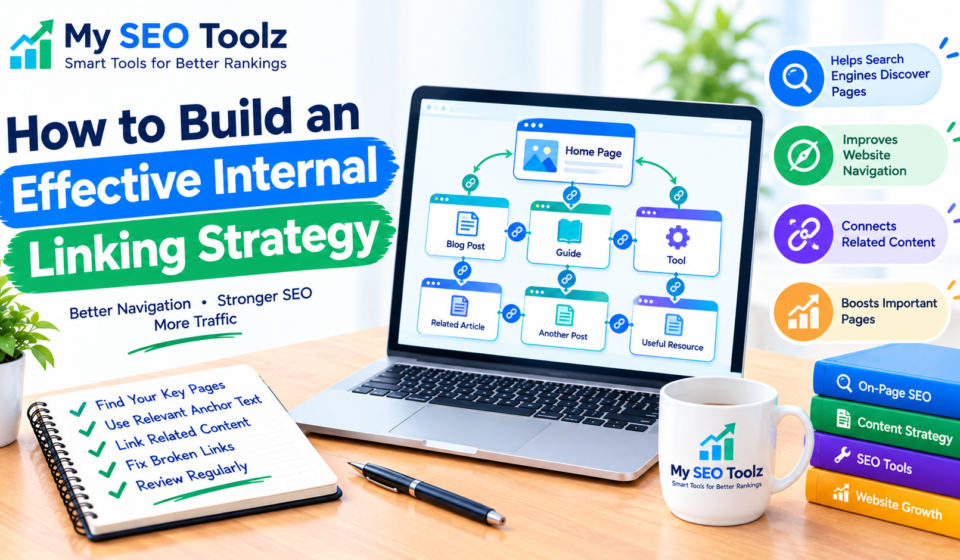

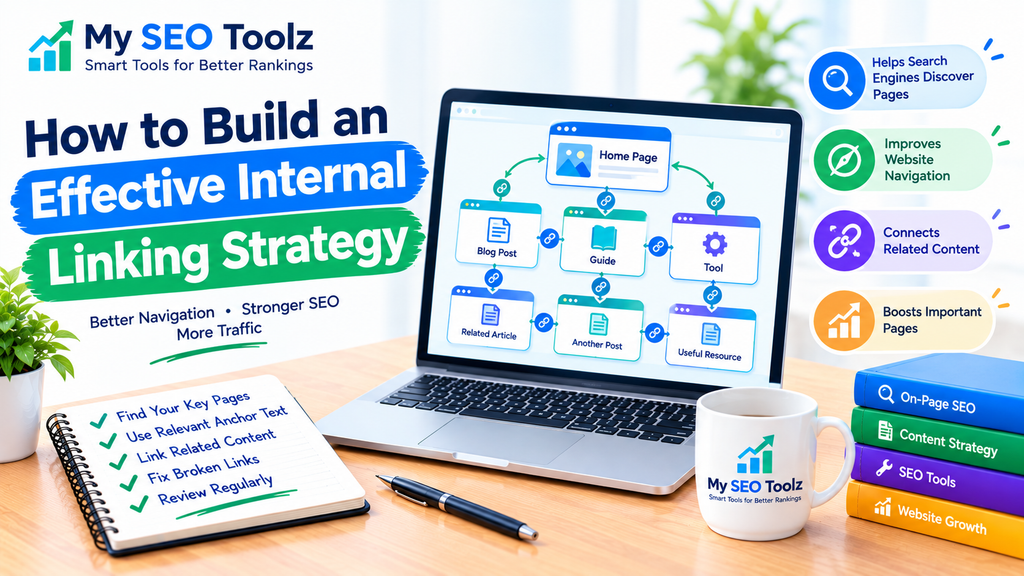
Internal links are an important part of a well-organized website. They help visitors discover related content, move between pages, and find useful information without searching through your entire website.
For website owners, bloggers, and beginners, a good internal linking strategy can make content easier to navigate and help search engines discover important pages.
The good news is that you do not need complicated tools to get started. With a clear plan, relevant anchor text, and links between related articles, you can build a useful internal linking structure for your website.
In this guide, you will learn how internal linking works, why it matters, and how to create a practical strategy for your website.
What Is an Internal Linking Strategy?
An internal linking strategy is a plan for connecting related pages on the same website through clickable links.
For example, if you publish an article about keyword research, you can link to another article explaining how to find long-tail keywords. Readers who want more information can follow the link instead of returning to your homepage to find another article.
Internal links can connect blog posts, service pages, product pages, categories, and online tools.
For a website such as My SEO Toolz, internal links can connect SEO guides with relevant tools, helping visitors move from learning about a topic to trying a useful tool.
Why Is Internal Linking Important for SEO?
Internal linking can improve website organization and make content easier to discover. Here are the main benefits.
1. Helps Search Engines Discover Pages
Search engines use links to find pages and understand how different parts of a website connect.
When you link to an important article from a relevant page, you give search engines another path to discover that content. This is particularly helpful for newer pages that do not yet have many links pointing to them.
However, an internal link does not guarantee that a page will be indexed.
2. Improves Website Navigation
Visitors should not have to struggle to find related information.
For example, someone reading a guide about website content optimization may also want to learn about SEO-friendly blog posts.
A relevant internal link makes it easier for readers to continue learning and find information that answers their next question.
3. Connects Related Content
Internal links help show the relationship between articles covering similar subjects.
Suppose your website contains articles about keyword research, long-tail keywords, and low-competition keywords. Linking these articles together creates a more organized learning experience.
This approach can also help you identify missing content and opportunities to build topic clusters.
4. Helps Important Pages Receive More Attention
Your website may contain pages that are especially valuable, such as a main SEO guide or a useful online tool.
Relevant internal links from related pages can help visitors find these resources. They also help search engines understand how those pages fit into your website.
Avoid linking to a page simply because you want it to rank. The link should make sense in the context of the content.
5. Can Encourage Visitors to Explore More Content
When readers find useful links, they may visit other pages on your website.
For example, a reader learning about image optimization may be interested in using an Alt Text Generator if that tool is available on your website.
Make sure the linked page provides genuine value. The goal is to help visitors, not to force them to click more links.
How to Build an Effective Internal Linking Strategy
Follow these steps to create an internal linking strategy that is practical and easy to maintain.
Step 1: Identify Your Most Important Pages
Start by listing the pages you want visitors to discover.
These may include:
- Your main SEO guides
- Useful blog posts
- Important category pages
- Online tools
- Pages that explain your main services
For My SEO Toolz, important resources may include keyword research guides, image optimization articles, and tools such as the Meta Title and Description Generator.
Prioritize pages that offer real value to your visitors. Do not select pages based only on their potential to rank.
Step 2: Organize Your Content by Topic
Group related articles into topic categories. This makes it easier to decide which pages should link to one another.
For example, a keyword research topic cluster could include:
- A beginner’s guide to keyword research
- A guide to finding long-tail keywords
- An article about low-competition keywords
- A guide to writing SEO-friendly blog posts
These pages cover related subjects, so readers may naturally benefit from moving between them.
You can also organize content around technical SEO, image optimization, content writing, and website visibility.
Step 3: Find Relevant Linking Opportunities
Review your existing articles and look for places where another published page would help the reader.
For example, in an article about improving website visibility, a paragraph about keyword selection could link to your guide on finding low-competition keywords.
In an image optimization article, a paragraph about writing image descriptions could link to your Alt Text Generator tool.
Choose links based on the meaning of the paragraph. Do not add links where they interrupt the reading experience.
Step 4: Use Descriptive Anchor Text
Anchor text is the clickable text that takes readers to another page.
Compare these examples:
Less helpful: Click here to learn more.
More helpful: Learn how to find long-tail keywords.
The second example tells readers what to expect before they click.
Use natural phrases that accurately describe the destination page. You do not need to use the exact same keyword every time, and you should avoid stuffing keywords into anchor text.
Step 5: Link New Articles to Existing Content
When publishing a new blog post, look for relevant articles already available on your website.
For example, if you publish a new article about internal linking, you might link to an existing technical SEO guide where you discuss website structure.
You should also review older articles and add links to the new post when the connection is useful.
This creates links in both directions where appropriate and helps readers discover your content.
Only add links to pages that have actually been published. If a related article does not exist yet, you can add the link later.
Step 6: Create Useful Topic Clusters
A topic cluster is a group of related pages that cover different aspects of a broader subject.
For example, an SEO content cluster could have a main guide about writing SEO-friendly blog posts, supported by articles about keyword research, meta descriptions, image optimization, and internal linking.
The main guide can link to detailed articles, while those articles can link back to the main guide when relevant.
This structure helps readers move from general information to more specific explanations without making every page link to every other page.
Step 7: Keep Important Pages Easy to Reach
Try to make important content easy to find through your site’s navigation and relevant internal links.
If a useful article is buried deep within your website and has no links from other pages, visitors may struggle to discover it.
You do not need to follow one fixed number of clicks for every page. Focus on creating a clear structure, useful navigation, and relevant connections between related pages.
Step 8: Check for Broken Internal Links
Broken links lead visitors to pages that cannot be found or accessed.
Review your internal links when updating articles, changing URLs, or removing old pages.
If you change a page URL, update links pointing to the old address. When appropriate, set up a permanent redirect to the new URL.
You can use a website crawler or a redirect-checking tool to help identify problems. My SEO Toolz can link to its Redirect Checker if that tool is published and available.
Step 9: Review Your Internal Links Regularly
Internal linking is not a one-time task. As your website grows, new linking opportunities appear.
Review your content periodically to check whether:
- Important pages have relevant internal links.
- Anchor text describes the destination accurately.
- Links open the correct pages.
- New articles connect with suitable existing content.
- Old links still work after URL changes.
- Links genuinely help readers.
You can keep a simple spreadsheet listing each article, its URL, related pages, and internal links that need updating.
Common Internal Linking Mistakes to Avoid
A good internal linking strategy focuses on usefulness rather than adding as many links as possible.
Avoid these common mistakes:
Adding Too Many Links
Too many links can distract readers and make a page harder to follow. Add links when they provide useful additional information.
Using the Same Anchor Text Everywhere
Repeating the same exact keyword in every link can make your writing feel unnatural. Use clear variations that accurately describe the destination.
Linking to Unrelated Pages
A link should be relevant to the surrounding paragraph. Do not link to an unrelated tool or article just to increase the number of internal links.
Leaving Important Pages Isolated
An important page with no internal links from other pages can be difficult for visitors to discover. Find suitable places to link to it from related content.
Forgetting to Update Old Links
If you change a URL or remove a page, review other articles that link to it. Update the links or use an appropriate redirect when needed.
Creating Links to Pages That Do Not Exist
Never add an internal link just because you plan to publish that article in the future. Publish the destination page first, or add the link after it becomes available.
Internal Linking for AEO and GEO
Answer Engine Optimization (AEO) and Generative Engine Optimization (GEO) focus on making content useful and understandable in answer-focused and generative search experiences.
Internal linking can support a clear content structure, but it does not guarantee that a page will appear in AI-generated answers.
To make your content more useful:
- Answer the reader’s main question clearly.
- Use descriptive headings.
- Link to relevant supporting guides.
- Keep related information organized.
- Make sure linked pages provide accurate, helpful information.
- Avoid repetitive links that do not add value.
For example, an article about keyword research can link to a detailed guide about long-tail keywords when readers need more explanation.
The most effective approach is to create content for people first and use internal links to make that content easier to explore.
Frequently Asked Questions
How many internal links should a blog post have?
There is no fixed number that works for every article. Add enough relevant links to help readers discover useful related information. The length and purpose of the article should guide your decisions.
Do internal links help SEO?
Internal links help search engines discover pages and understand how content is connected. They also improve navigation and help visitors find related information. They are one part of a broader SEO strategy.
Should I link to every blog post on my website?
No. Link to pages that are relevant to the topic and helpful to readers. Linking every article to every other article can create a confusing experience.
Should internal links open in a new tab?
For ordinary links between pages on the same website, opening in the same tab is usually a straightforward choice. The most important thing is to make navigation clear and predictable.
Can I add internal links to older blog posts?
Yes. Review older articles and add links to newer, relevant content when they genuinely help readers. Also add links from new articles to suitable older pages.
Are internal links better than external links?
They serve different purposes. Internal links connect your own pages, while external links can direct readers to useful information on other websites. Use whichever type best supports the reader’s needs.
Do internal links help Google index new pages?
They can help Google discover pages by providing additional paths to them, but indexing is not guaranteed. Ensure that the page is accessible, provides useful content, and is not blocked from crawling or indexing unintentionally.
Final Thoughts
Building an effective internal linking strategy does not have to be complicated. Start by identifying your most important pages, grouping related articles, and adding links where they genuinely help readers.
Use descriptive anchor text, check links regularly, and connect new posts with relevant existing content. As your website grows, review your linking structure and improve it whenever you find a useful opportunity.
For My SEO Toolz, connecting keyword research guides, content writing articles, technical SEO resources, and relevant online tools can help visitors find more of the information they need.
Focus on useful connections, not just more links. A clear internal linking structure makes your website easier to navigate and helps search engines understand how your content fits together.

[…] Internal links help visitors discover related information and help search engines find pages across your website. For more guidance, read How to Build an Effective Internal Linking Strategy. […]