

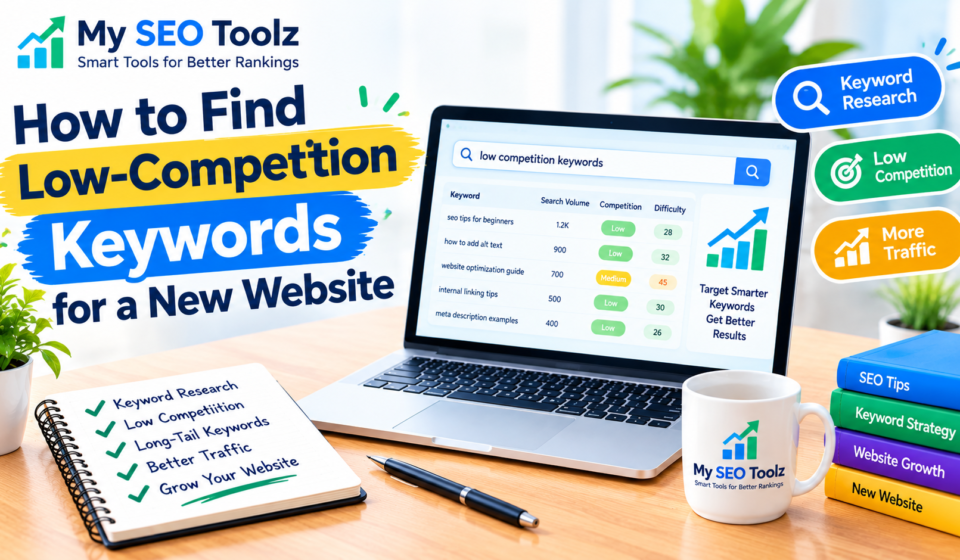

Starting a new website takes time and effort. You need to publish useful content, understand your audience, and help people find your pages through search engines. But getting traffic from Google can be difficult when your website is still new.
One reason is competition. Popular search terms often have many websites competing for the same audience. If you try to rank for broad keywords from the beginning, you may find it difficult to get your pages noticed.
A more practical approach is to look for low-competition keywords that match your website’s topic and your audience’s needs. These keywords may offer realistic opportunities to create helpful content, especially when you are building a new website.
In this guide, you will learn how to find low-competition keywords, check their potential, and use them naturally in your content. You will also discover common mistakes to avoid and simple ways to plan your keyword research.
What Are Low-Competition Keywords?
Low-competition keywords are search terms that may be easier to rank for than other keywords in the same topic area.
For example, the keyword “SEO” is broad. It covers many subjects, including technical SEO, content writing, link building, keyword research, and website optimization. Many established websites publish content about this topic.
Now consider a more specific search phrase: “how to write SEO titles for a new website.” This phrase focuses on a particular question and gives you a clearer idea of what the searcher wants to learn.
The second phrase may offer a more realistic opportunity, depending on the websites already appearing in search results.
However, longer keywords are not always easier to rank for. You should check the actual competition, search intent, and quality of existing content before choosing a keyword.
Why Are Low-Competition Keywords Useful for New Websites?
When your website is new, it helps to focus on topics you can cover well instead of trying to compete for every popular keyword.
They Help You Find Specific Topics
Specific keywords often reveal exactly what people want to know. This makes it easier to plan an article that answers a particular question.
For example, someone searching for “how to add alt text to images in WordPress” probably wants simple instructions. You can create a useful guide with clear steps and examples.
They Help You Understand Your Audience
Keyword research can reveal the problems your audience is trying to solve.
If people search for ways to improve website speed, write better titles, or find suitable keywords, those searches can give you ideas for helpful content.
They Help You Build Content Gradually
You do not need to cover every SEO topic in one article. You can create separate, useful guides around related subjects and connect them with internal links.
For example, a website about SEO tools could publish articles about keyword research, meta descriptions, internal linking, and image optimization.
This approach helps you build a collection of relevant content over time.
Remember that low competition does not guarantee rankings or traffic. Your content still needs to be useful, accurate, and relevant to the search.
How to Find Low-Competition Keywords Step by Step
You can begin keyword research without advanced technical knowledge. Follow these steps to find possible topics for your website.
Step 1: Start With Your Main Website Topics
First, list the subjects that are relevant to your website.
For My SEO Toolz, these might include:
- Keyword research
- SEO-friendly blog writing
- Meta titles and descriptions
- Website visibility
- Image alt text
- Internal linking
- Technical SEO basics
These topics provide a starting point for finding search phrases.
Choose topics that match your audience and the services or information your website offers. A keyword is not a good choice simply because a tool suggests it.
Step 2: Turn Broad Topics Into Specific Questions
Think about the questions a beginner might ask about each topic.
For example, the broad topic “keyword research” can lead to questions such as:
- How do I find keywords for a new website?
- How can I check keyword difficulty?
- How do I find long-tail keywords?
- Which keywords should I use in a blog post?
- Can I find keywords without paid tools?
Each question could become a blog post or a section within a larger guide.
You can also type your topic into Google and review autocomplete suggestions and related searches. These can help you discover different ways people search for information.
Treat these suggestions as ideas to investigate, not proof that a keyword has high search volume or low competition.
Step 3: Use Keyword Research Tools
Keyword research tools can help you find related phrases and compare potential keywords.
Google Keyword Planner
This tool provides keyword ideas and estimated search-volume information. The level of detail available may depend on your account and campaign settings.
Google Search Console
Once your website starts receiving search impressions, Search Console can show the queries people use to discover your pages. This information can help you find opportunities to improve existing content.
Ahrefs and Semrush
These tools provide keyword suggestions, competitor research, and keyword difficulty estimates. Some features require a paid plan.
Ubersuggest
Ubersuggest offers keyword research and other SEO research features that can help you explore potential topics.
You do not need to use every tool. Start with the resources available to you and record your findings in a spreadsheet.
Keep in mind that tools use different methods to estimate search volume and competition. Their figures should guide your research rather than determine every decision.
Step 4: Check the Search Results on Google
After finding a potential keyword, search for it on Google and review the pages that appear.
This helps you understand the kind of content people expect to find.
Ask yourself:
- Do the current pages answer the question clearly?
- Are the results mostly from established websites?
- Is important information missing from some pages?
- Could you explain the topic more clearly?
- Can you provide practical examples or instructions?
- Does the search intent match your planned article?
For example, if you want to write about SEO titles, check whether the current results focus on writing tips, examples, or title-generation tools.
Your article should meet the searcher’s needs. Do not assume a keyword is easy just because some results look short or simple.
Step 5: Find Long-Tail Keywords
Long-tail keywords are specific search phrases that often contain several words.
Consider these examples:
- Broad keyword: “meta descriptions”
- Specific keyword: “how to write meta descriptions for blog posts”
- More specific keyword: “how to write a meta description in WordPress”
Specific phrases can make the searcher’s goal clearer. They may also have less competition, although this depends on the topic.
Try variations that accurately describe your audience’s needs, such as “for beginners,” “step by step,” or “for a new website.”
Do not add extra words just to make a keyword longer. The phrase should still sound natural and represent a real search.
Step 6: Understand Search Intent
Search intent is the reason behind a search.
For example, someone searching for “what is keyword difficulty” wants an explanation. Someone searching for “best keyword research tools” probably wants to compare different tools.
Your content should match the reason behind the search.
If people want a tutorial, explain the process step by step. If they want a comparison, discuss the differences between their options. If they want a definition, provide a clear answer near the beginning.
A keyword may look promising in a research tool, but it may not be suitable if your article does not match the search intent.
Step 7: Evaluate Keyword Difficulty
Many SEO tools assign a keyword difficulty score to each search phrase. This score can help you compare opportunities, but it is an estimate—not a Google ranking factor or a guarantee of success.
Consider these factors together:
- The keyword difficulty estimate
- The quality of the pages already ranking
- The relevance of the keyword to your website
- The searcher’s intent
- Your ability to create helpful content
- Your website’s existing content and reputation
For a new website, focus on relevant topics where you can provide a clear and useful answer.
Do not select a keyword only because a tool gives it a low difficulty score.
Step 8: Organize Your Keywords in a Spreadsheet
Once you have a list of potential keywords, organize them so you can plan your content.
Useful columns include:
- Keyword
- Search intent
- Estimated search volume
- Keyword difficulty estimate
- Planned article title
- Publication status
For example:
| Keyword idea | Search intent | Possible article |
|---|---|---|
| How to find low-competition keywords | Informational | Beginner’s guide |
| How to write SEO titles | Informational | Step-by-step tutorial |
| How to add alt text in WordPress | Informational | WordPress guide |
| How to improve internal linking | Informational | Practical guide |
Add search-volume and difficulty data when you have reliable estimates. If you do not have the information, leave those fields blank instead of guessing.
This list will help you choose future blog topics and reduce unnecessary overlap between articles.
Common Mistakes to Avoid
Choosing Keywords Only Because They Have High Search Volume
High-volume keywords can attract attention, but they may also have strong competition. Consider relevance, search intent, and your ability to create useful content before choosing them.
Trusting Keyword Difficulty Scores Completely
A low score does not guarantee that you will rank. Always examine the search results and decide whether your content can answer the query effectively.
Targeting the Same Topic in Multiple Articles
If several articles target almost identical searches and answer the same question, they may compete with one another for visibility.
Give each article a clear purpose. If two topics overlap heavily, consider combining them or making their focus more distinct.
Repeating Keywords Too Often
Your article should sound natural. Use your main keyphrase in relevant places, such as the title, introduction, or a suitable heading, but avoid repeating it in every paragraph.
Keyword stuffing makes content harder to read and does not guarantee better rankings.
Ignoring Existing Content
Keyword research is not a one-time task. As your website grows, review your content and look for opportunities to improve it.
Google Search Console can show which queries generate impressions and clicks. You can use that information to improve an article’s coverage, clarify its answers, or add useful examples.
How to Use Low-Competition Keywords for SEO, AEO, and GEO
SEO: Search Engine Optimization
Choose a clear primary topic for each article. Use relevant keywords naturally, write a useful title, structure the content with descriptive headings, and link to related pages where appropriate.
Make sure your pages are accessible, work well on mobile devices, and provide a good reading experience.
AEO: Answer Engine Optimization
Answer the main question clearly near the beginning of your article. Use descriptive headings and provide direct explanations before going into more detail.
FAQs can help address related questions when the answers are accurate and useful. However, adding FAQs does not guarantee a featured snippet or a position in an answer engine.
GEO: Generative Engine Optimization
Create accurate, well-organized content that explains topics clearly. Use practical examples and reliable information to support your advice.
Connect related articles when doing so helps readers explore a subject. These practices can improve content usefulness and organization, but no technique guarantees that generative search systems will mention or cite your website.
Frequently Asked Questions
1. What are low-competition keywords?
Low-competition keywords are search terms that may be easier to rank for than other terms in the same niche. Their difficulty depends on the current search results, competing pages, and how well your content meets the searcher’s needs.
2. How can beginners find low-competition keywords for free?
Beginners can start with Google autocomplete, related searches, Google Keyword Planner, and Google Search Console when website data is available. Reviewing the actual search results is also an important part of the process.
3. Are long-tail keywords always easy to rank for?
No. Long-tail keywords are more specific, but some still have strong competition. Check the search results and evaluate whether your content can answer the query well.
4. How many keywords should I target in one blog post?
Choose one main topic or focus keyphrase and include closely related terms naturally. Cover related questions when they support the main subject instead of trying to target unrelated keywords in one article.
5. Can a new website rank on Google?
Yes, a new website can appear in Google search results, but the time and effort required vary. Publishing useful, relevant content is a sensible starting point, although rankings are never guaranteed.
6. Does low keyword difficulty guarantee website traffic?
No. A low difficulty estimate does not guarantee rankings, clicks, or visitors. Search demand, relevance, competition, and content quality all matter.
7. Should I update my keywords after publishing an article?
Review your performance periodically. Search Console can help you identify queries that generate impressions and clicks, giving you ideas for improving existing content.
Final Thoughts
Finding low-competition keywords starts with understanding your audience and choosing topics you can explain well. You do not need to target every popular phrase or publish an article about every keyword you discover.
Start with your main website topics, research specific questions, check the current search results, and select keywords that match your readers’ needs.
For My SEO Toolz, build useful guides around keyword research, content writing, website optimization, and SEO tools. Connect related articles when those links provide value, review your performance over time, and improve your content as you learn more about your audience.
A steady, reader-focused approach can help you build a stronger content library. Focus on helping readers first, and use keyword research to guide your content decisions.

[…] you want to learn more, read our guide to finding low-competition keywords for a new website. Replace this URL if your published article uses a different […]