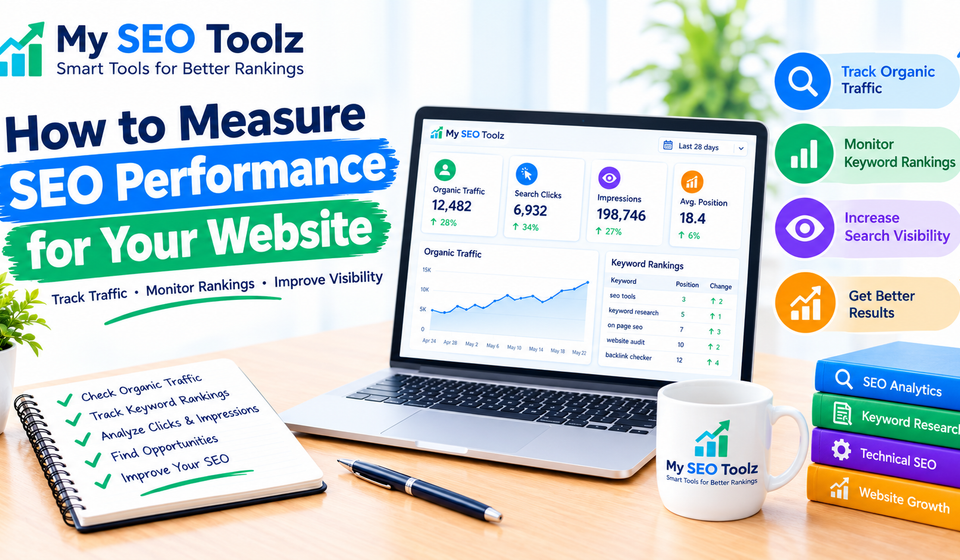

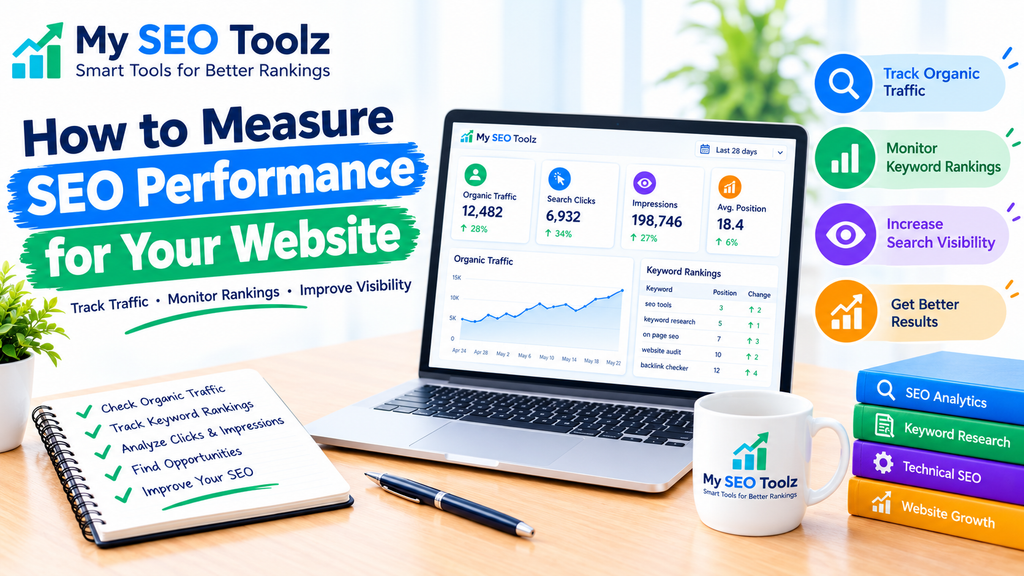
Measuring SEO performance is important if you want to improve your website’s visibility and attract more visitors from Google. Publishing blog posts and adding keywords can help, but you also need to understand whether your efforts are bringing results.
SEO performance measurement helps you find out which pages are getting traffic, which keywords are bringing visitors, and where your website needs improvement. The good news is that you can track many important SEO metrics using free tools such as Google Search Console and Google Analytics.
In this guide, you will learn how to measure SEO performance, which metrics to track, and how to use the data to improve your website.
What Is SEO Performance?
SEO performance refers to how well your website performs in organic search results. It shows whether your pages are appearing on Google, attracting clicks, and bringing relevant visitors to your website.
For example, if your blog posts start appearing higher in search results and receive more organic clicks, your SEO efforts may be producing positive results.
However, website rankings are only one part of SEO performance. You should also consider organic traffic, click-through rate, engagement, conversions, and technical website health.
Why Is Measuring SEO Performance Important?
Measuring SEO performance helps you make informed decisions instead of guessing what works.
Here are some important benefits:
- Track organic traffic: Understand how many visitors come from search engines.
- Monitor keyword rankings: Check which search terms help people discover your website.
- Identify successful content: Find blog posts that attract impressions and clicks.
- Discover problems: Identify pages with low visibility, poor click-through rates, or indexing issues.
- Improve your content strategy: Focus on topics that attract relevant visitors.
- Measure progress over time: Compare results to see whether your changes are helping.
Regular measurement also helps you decide which pages need updated information, better titles, or stronger internal links.
1. Track Organic Traffic
Organic traffic is the number of visitors who reach your website through unpaid search results. It is one of the most useful metrics for understanding SEO performance.
You can track organic traffic using Google Analytics.
To check your organic traffic:
- Open Google Analytics.
- Select your website property.
- Open Reports.
- Navigate to the traffic acquisition report.
- Find the Organic Search traffic source.
- Compare the results with a previous period.
For example, if your website receives 300 organic sessions in one month and 450 in the next month, organic sessions have increased by 50%.
Remember that an increase in traffic is not always a sign of success. You should also consider whether visitors are finding useful information and taking meaningful actions.
2. Monitor Google Search Console Performance
Google Search Console is one of the most useful free tools for measuring SEO performance. It shows how your website appears in Google Search and helps you identify opportunities for improvement.
In the Performance report, you can review four important metrics:
Total clicks: The number of times users clicked your website in Google Search.
Total impressions: How many times your website appeared in search results.
Average click-through rate (CTR): The percentage of impressions that resulted in clicks.
Average position: The average position of your website’s search results for the selected data.
To check these metrics, open Google Search Console, select your website property, and click Performance, then Search results.
Review the data regularly to understand which pages and search queries are gaining visibility.
If your website receives impressions but very few clicks, consider improving the page title and meta description while keeping them relevant to the content.
3. Measure Keyword Performance
Keyword performance tells you which search terms are helping people discover your website.
For example, a blog post about website loading speed might appear for searches such as “how to improve website loading speed” or “website speed optimization tips.”
To measure keyword performance:
- Open Google Search Console.
- Go to Performance.
- Scroll to the Queries section.
- Review the search terms bringing impressions and clicks.
- Identify queries with growing impressions but relatively few clicks.
- Check whether your content answers those searches clearly.
You can also track a small group of important keywords over time using a keyword rank-tracking tool.
Do not focus only on high-volume keywords. Relevant, specific search terms can attract visitors who are more interested in your content.
4. Check Your Click-Through Rate
Click-through rate, or CTR, measures how often people click your search result after seeing it.
You can calculate CTR using this formula:
CTR = (Total Clicks ÷ Total Impressions) × 100
For example, if a page receives 80 clicks from 2,000 impressions, its CTR is 4%.
A low CTR may indicate that your title is unclear, your meta description is not compelling, or the search results are answering users’ needs differently.
To improve CTR:
- Write clear and descriptive SEO titles.
- Include your main keyword naturally.
- Explain what readers will learn.
- Make your meta descriptions useful and relevant.
- Avoid misleading promises or keyword stuffing.
CTR varies by query, ranking position, search intent, and search-result layout. Compare similar pages and queries rather than expecting one universal CTR target.
5. Measure Engagement and Conversions
Getting visitors to your website is important, but understanding what they do afterward is equally valuable.
Google Analytics can help you measure engagement and meaningful actions on your website.
Useful measurements include:
- Engaged sessions
- Average engagement time
- Important page views
- Form submissions
- Tool usage or other valuable interactions
- Sign-ups and other conversions, where applicable
For My SEO Toolz, you might track whether visitors open a tool page, use a website utility, or navigate from a blog post to a related SEO tool.
These measurements help you understand whether your organic visitors are finding value in your website.
Make sure important actions are configured correctly as events or key events in Google Analytics before relying on their reports.
6. Check Website Indexing and Technical SEO
Your content needs to be accessible to Google before it can appear in search results. Technical SEO helps search engines discover, crawl, and understand your pages.
Use Google Search Console to review the Page indexing report and identify potential issues.
Check for:
- Pages that are not indexed
- Accidental noindex directives
- Incorrect canonical URLs
- Broken internal links
- Redirect problems
- Sitemap submission issues
- Mobile usability and page experience concerns
If you use WordPress, make sure your SEO plugin settings are correct and your XML sitemap contains the pages you want search engines to discover.
You can also review Core Web Vitals and HTTPS status to identify user-experience and security issues.
Not every page needs to be indexed. Thin, duplicate, private, or otherwise unnecessary pages may appropriately remain outside Google’s index.
7. Monitor Website Loading Speed
Website speed can affect user experience and is worth monitoring as part of your SEO work.
Slow pages may frustrate visitors, especially when they are browsing on mobile devices or using slower internet connections.
Use Google PageSpeed Insights to test important pages. Review the available performance results and Core Web Vitals.
Focus on the following areas:
- Optimize large images.
- Reduce unnecessary scripts and plugins.
- Enable suitable caching.
- Improve server response time.
- Avoid excessive layout shifts.
- Make important page content load efficiently.
Test several representative pages instead of checking only your homepage. A blog post, a tool page, and a contact page may have different performance problems.
For more practical advice, read our guide on How to Improve Website Loading Speed.
8. Review Your Best-Performing Pages
Not every page on your website will perform equally well. Some articles may attract many search impressions, while others may receive few clicks.
Review your pages report in Google Search Console to find content that deserves attention.
Look for:
- Pages receiving the most organic clicks
- Pages gaining impressions over time
- Pages with declining traffic
- Pages with high impressions but low CTR
- Pages that attract relevant visitors to your tools
If a page performs well, consider improving it with updated information, helpful examples, and relevant internal links.
If a page performs poorly, check its search intent, content quality, indexing status, and competition before making changes.
Avoid changing a page simply because it has fewer clicks than another page. Newer pages may need more time to build visibility.
9. Use Internal Links to Improve Content Discovery
Internal links connect one page on your website to another page on the same website. They help visitors discover related content and help search engines understand how your pages are connected.
For example, a blog post about measuring SEO performance could link to a related guide about website speed or an article about improving organic traffic.
When adding internal links:
- Use descriptive anchor text.
- Link only to relevant, published pages.
- Help readers find useful additional information.
- Check links regularly for errors.
- Avoid adding too many links where they do not help the reader.
For My SEO Toolz, link to your published articles, such as How to Increase Organic Traffic Without Paid Ads and How to Build an Effective Internal Linking Strategy, using the exact article URLs on your website.
Replace the homepage URLs above with the correct individual post URLs before publishing if those articles use separate WordPress permalinks.
10. Create a Monthly SEO Performance Report
A monthly SEO report helps you understand what is improving and what needs more attention.
You do not need a complicated reporting system. Start by recording the same key metrics every month.
Your report can include:
- Organic sessions from Google Analytics
- Search clicks and impressions from Search Console
- CTR and average position
- Important search queries
- Indexed pages and indexing problems
- Core Web Vitals results
- Conversions or valuable user actions
- Pages that gained or lost traffic
Compare the latest month with the previous month and, when useful, the same month last year.
Keep notes about changes you make, such as publishing a new article, updating a title, fixing an indexing issue, or improving a page’s loading speed.
SEO results can take time, so use several weeks or months of data where possible instead of reacting to every small daily change.
Best Free Tools to Measure SEO Performance
Here are some tools you can use to measure and improve your website’s performance.
Google Search Console: Track search clicks, impressions, queries, average position, and indexing issues.
Google Analytics: Measure organic sessions, engagement, and conversions.
Google PageSpeed Insights: Review page performance and Core Web Vitals.
Google Trends: Explore changes in search interest and compare related topics.
My SEO Toolz: Use relevant website utilities to support your SEO workflow, such as tools for checking redirects, generating sitemaps, and creating meta titles and descriptions.
You do not need every tool at once. Start with Google Search Console, Google Analytics, and PageSpeed Insights, then add other tools when you need them.
Common SEO Measurement Mistakes to Avoid
When measuring SEO performance, avoid these common mistakes:
Focusing only on rankings: Rankings matter, but organic clicks, relevant traffic, and conversions provide additional context.
Expecting immediate results: SEO changes may take weeks or months to show meaningful results.
Ignoring search intent: A page may attract clicks without satisfying the visitor’s needs.
Changing too many things at once: It becomes harder to understand which change affected performance.
Ignoring technical issues: Indexing, crawling, and page performance can limit the results of otherwise useful content.
Comparing unrelated periods: Seasonal changes and differences in demand can affect traffic. Use fair comparisons whenever possible.
Conclusion
Measuring SEO performance helps you understand whether your website is moving in the right direction. By tracking organic traffic, search impressions, clicks, CTR, keyword performance, engagement, and technical health, you can make better decisions about your content and website.
Start with Google Search Console and Google Analytics, review your results regularly, and focus on improvements that help visitors find and use your content.
For My SEO Toolz, a simple monthly review of published articles, organic search performance, and useful tool-page interactions is a practical way to build a stronger SEO strategy over time.
Frequently Asked Questions
1. How do I measure SEO performance?
Use Google Search Console to track clicks, impressions, CTR, and average position. Use Google Analytics to measure organic traffic, engagement, and conversions.
2. What are the most important SEO metrics?
Important metrics include organic traffic, search impressions, clicks, CTR, keyword visibility, conversions, indexing status, and Core Web Vitals.
3. Is Google Search Console free?
Yes. Google Search Console is a free service that helps website owners monitor their website’s presence in Google Search.
4. How often should I check SEO performance?
Check important issues weekly if possible, and review overall SEO performance monthly. Compare longer periods when you need to understand trends.
5. How long does it take to see SEO results?
It depends on your website, competition, content quality, technical condition, and the changes you make. Some improvements appear relatively quickly, while others may take several months.
6. Can I measure SEO performance without paid tools?
Yes. Google Search Console, Google Analytics, and Google PageSpeed Insights provide useful data without requiring a paid subscription.
7. Does website speed affect SEO performance?
Website speed and Core Web Vitals contribute to page experience and are relevant to Google’s ranking systems. However, good speed alone does not guarantee higher rankings.
8. What should I do if my website gets impressions but few clicks?
Review the queries and pages receiving impressions. Check whether the titles and meta descriptions clearly match search intent, and compare performance across similar queries and positions.