

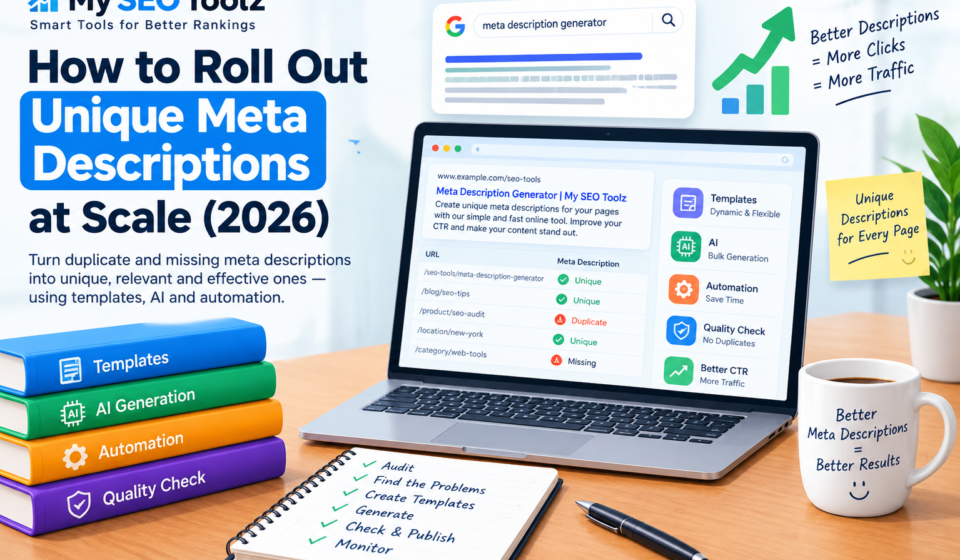

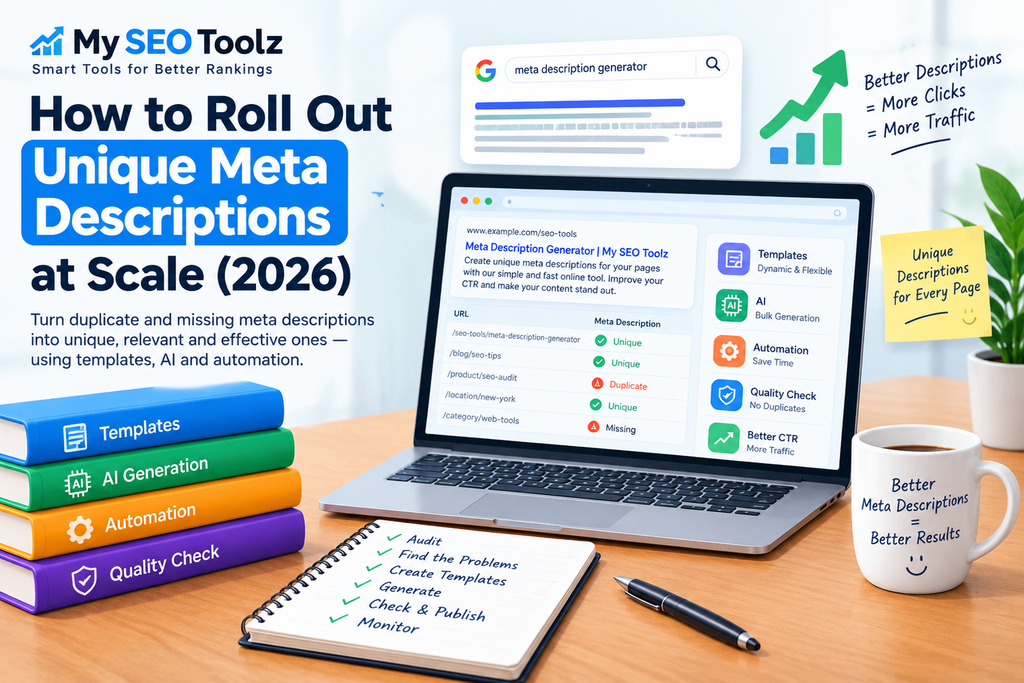
Meta descriptions are a small part of SEO, but they become much more important when you’re managing a large website.
If you have 20 or 30 pages, writing a description for each page is fairly easy. But when your website grows to hundreds or thousands of pages, doing everything manually can take a lot of time.
Large websites often end up with missing meta descriptions, duplicate descriptions, or generic text that doesn’t really explain what each page offers.
The good news is that you don’t have to write every description from scratch.
With a good system, you can use templates, page data, and automation to create useful and relevant meta descriptions at scale.
In this guide, we’ll look at a simple way to find duplicate descriptions, create better ones, and prevent the same problem from coming back.
1. Start With a Meta Description Audit
Before changing anything, find out what is already happening on your website.
Use an SEO crawler to collect the meta descriptions from your pages. Once you have the data, look for common problems.
These can include:
- Missing meta descriptions
- Duplicate descriptions
- Very short descriptions
- Generic descriptions
- Outdated information
- Descriptions that don’t match the page
- Automatically generated descriptions
Don’t try to fix everything at once.
First, understand how many pages are affected and which types of pages have the biggest problems.
Group Your Pages by Type
A large website usually contains several types of pages.
For example:
- Product pages
- Category pages
- Blog posts
- Service pages
- Location pages
- Landing pages
Grouping pages makes the process easier because each type of page has different information available.
A product page may have a product name, price, brand, and features.
A blog post may have a title, topic, author, and publication date.
That information can later be used to create more useful descriptions.
2. Find Out Why Your Meta Descriptions Are Duplicated
Finding duplicate descriptions is only the first step.
You also need to understand why they are happening.
If hundreds of pages have exactly the same description, there is usually something in the website setup causing it.
A Generic Template May Be the Problem
Imagine every category page uses this description:
Shop our products online. Find great deals and browse our latest collection.
It may sound fine, but if the same text appears on 100 different pages, it doesn’t tell users what makes each category different.
The template needs more page-specific information.
Your CMS May Be Using a Default Description
Some content management systems automatically use a default description when a custom one isn’t provided.
This can be useful for small websites, but it can create a lot of duplicate descriptions on larger websites.
Check your CMS and SEO settings to understand what happens when a page doesn’t have its own description.
Imported Data Can Create Repetition
Ecommerce websites sometimes import product information from suppliers or other systems.
If several products receive similar information during the import, their meta descriptions can also become very similar.
In that situation, simply editing a few descriptions won’t solve the real problem.
You need to improve the process that creates them.
3. Prioritize Your Most Important Pages
If your website has thousands of pages, don’t try to rewrite everything manually.
Start with the pages that matter most.
These could include:
- Main landing pages
- Important service pages
- Popular blog posts
- High-traffic product pages
- Important category pages
You can use Google Search Console data to help identify pages that already receive impressions and clicks.
If a page is already appearing in search results but has a weak or generic description, it’s worth reviewing.
A better meta description doesn’t guarantee higher rankings or clicks, but it can make the search result clearer and more relevant to potential visitors.
4. Use Templates for Large Groups of Pages
Templates are one of the easiest ways to manage meta descriptions at scale.
Instead of writing every description from the beginning, create a structure that uses information from each individual page.
For example:
Explore {product_name} in {category}. Discover {key_feature} and view available options.
The system can replace the variables with the correct information.
One product might become:
Explore wireless headphones in the audio category. Discover active noise cancellation and view available options.
Another could become:
Explore mechanical keyboards in gaming accessories. Discover RGB backlighting and view available options.
The structure stays consistent while the important details change.
Use Information That Actually Changes
A template works best when it contains useful information that varies from page to page.
Depending on your website, you could use:
- Product name
- Category
- Location
- Main feature
- Price range
- Material
- Size
- Service type
- Rating
- Availability
The goal isn’t to add as many variables as possible.
The goal is to include enough useful information to make the description relevant to that specific page.
5. Make Your Templates Flexible
One problem with automated templates is missing information.
For example, suppose your template says:
Explore {product_name} with {key_feature}. Compare options today.
What happens when a product doesn’t have a key feature?
You don’t want the final description to say:
Explore wireless headphones with [key feature]. Compare options today.
Your system should have a fallback.
If the feature isn’t available, remove that part of the sentence or use another piece of information.
This small detail can make a big difference when you’re generating descriptions for thousands of pages.
6. Use Automation to Speed Up the Process
Once your templates are ready, automation can handle much of the repetitive work.
For example, your website could take information from your product database and automatically create a description for each product.
A simple workflow could look like this:
Product information → Template → Generated description → Quality check → Publish
This means your team doesn’t have to manually create every description.
Automation is especially useful for:
- Large ecommerce stores
- Product catalogs
- Business directories
- Real estate websites
- Job websites
- Location-based websites
- Large content websites
The important thing is to make sure the automation uses accurate information from the page.
7. Use a Bulk Meta Description Generator
If you have a large number of pages that need descriptions, creating them one by one can become frustrating.
A bulk meta description generator can make this process much faster by turning your existing page information into ready-to-review descriptions.
For smaller projects, you can also use the Meta Description Generator from My SEO Toolz to create descriptions quickly.
The important part is to review the generated text before publishing it, especially for important pages.
Automation should save time, not remove quality control.
8. Check for Duplicate Descriptions Before Publishing
Before you publish a large batch, check the results for duplicates.
Start by checking exact matches.
For example:
Discover affordable running shoes for men. Shop our latest collection online.
If the exact same sentence appears on 50 pages, those pages need another look.
But exact duplicates aren’t the only problem.
Watch for Very Similar Descriptions
Two descriptions can be slightly different while still being almost identical.
For example:
Buy men’s running shoes online. Explore our latest collection.
and:
Buy women’s running shoes online. Explore our latest collection.
Only one word has changed.
For a large website, checking for similar wording can help identify these patterns.
9. Check Every Batch for Accuracy
Automated descriptions should always be checked before they go live.
Take a sample from every batch and compare the descriptions with the actual pages.
Check details such as:
- Product names
- Prices
- Features
- Locations
- Categories
- Availability
- Specifications
- Dates
For example, if a product price has changed, you don’t want an old price appearing in the description.
If a service is no longer available, the description shouldn’t continue promoting it.
Accurate information is more important than making the wording sound clever.
10. Keep the Language Natural
A meta description doesn’t need to sound complicated.
In fact, simple language is usually better.
Avoid stuffing the same keyword into every sentence.
For example, this is not natural:
SEO tools are the best SEO tools for SEO. Use our SEO tools for better SEO and SEO results.
A better version would be:
Explore useful SEO tools for keyword research, content optimization, and everyday website tasks.
The second version is easier to understand and sounds more natural.
Write the description for the person who might click the search result.
11. Don’t Obsess Over an Exact Character Count
You may have seen recommendations about keeping every meta description within one exact character limit.
It’s better to think of length as a guideline rather than a strict rule.
Google can display snippets differently depending on the search query and device, and it may also choose text from the page instead of using the meta description.
Keep the important information near the beginning and avoid unnecessary words.
Most importantly, make sure the description accurately represents the page.
12. Publish Your Changes in Batches
If you’re updating thousands of descriptions, don’t necessarily change everything at the same time.
Work in smaller batches.
For example:
Batch 1: Important landing pages
Batch 2: Blog posts
Batch 3: Category pages
Batch 4: Product pages
After each batch, check your website.
Make sure:
- The descriptions were added correctly.
- No descriptions are missing.
- The templates worked properly.
- No strange text was inserted.
- Duplicate descriptions weren’t created.
If something goes wrong, smaller batches make the problem much easier to find.
13. Monitor Your Search Performance
After publishing the new descriptions, keep an eye on the affected pages.
Google Search Console can help you monitor:
- Impressions
- Clicks
- CTR
- Search queries
- Landing pages
Don’t expect every change to produce an immediate improvement.
Search performance depends on many factors, including rankings, competition, search intent, content quality, and seasonal changes.
When comparing performance, use similar time periods whenever possible.
14. Remember That Google May Rewrite Your Description
One important thing to understand is that Google doesn’t always show the exact meta description you provide.
Google may choose text from the page itself when it believes that content better matches the user’s search query.
That doesn’t mean writing a meta description is pointless.
A well-written description gives Google useful information about your page and can provide a clear summary when Google chooses to use it.
The goal should be to create a description that accurately represents the page rather than trying to control exactly what Google displays for every search.
15. Don’t Let Automation Create Low-Quality Content
Automation can save a lot of time, but it should be used carefully.
The goal is not to create thousands of meaningless descriptions just so every URL has something in the meta description field.
Each description should be based on the actual page.
For example, don’t automatically add:
Discover the best products and amazing deals. Shop now!
to every product page.
It may technically be a description, but it doesn’t provide much useful information.
Instead, use information that helps someone understand what they will find on that specific page.
16. Build a System for New Pages
Fixing your current descriptions is only part of the job.
You also need to prevent the problem from coming back.
Whenever a new page is created, your system should check whether a useful meta description exists.
A simple process could be:
- A new page is created.
- The system checks the meta description.
- A template creates one if needed.
- The description is checked for duplicates.
- The page is reviewed.
- The page is published.
This turns meta description optimization into an ongoing process instead of a one-time cleanup.
A Simple Example of Meta Description Automation
Imagine you have an online store with 10,000 product pages.
Writing 10,000 descriptions manually would take a huge amount of time.
Instead, your system could use information already stored for each product.
For example:
Product: Wireless Noise Cancelling Headphones
Category: Headphones
Feature: Active noise cancellation
A description could be:
Explore wireless noise cancelling headphones with active noise cancellation. Compare features and product details online.
Another product might have:
Product: Mechanical RGB Keyboard
Category: Gaming Keyboards
Feature: RGB backlighting
Its description could be:
Explore mechanical RGB keyboards with customizable backlighting. Compare features and find the right gaming keyboard.
The process can handle the repetitive work while your team checks the quality of the results.
Common Mistakes to Avoid
Using the Same Description Everywhere
A generic description may save time, but it doesn’t explain what makes each page different.
Repeating Keywords Too Much
Using the same keyword repeatedly can make the description sound unnatural.
Keep the wording simple.
Publishing Automated Text Without Checking It
Automation can make mistakes.
Always review important pages and sample the larger batches.
Ignoring Missing Information
Templates can create awkward sentences when required information isn’t available.
Use fallback rules for missing fields.
Changing Everything at Once
Smaller batches are easier to monitor and troubleshoot.
Forgetting About New Pages
A one-time cleanup won’t help if new pages continue receiving generic descriptions.
Build the solution into your normal publishing process.
Final Thoughts
Creating unique meta descriptions at scale doesn’t have to mean writing thousands of descriptions manually.
The better approach is to build a simple system.
Start by auditing your website and finding missing or duplicate descriptions.
Then identify why the problem is happening.
After that, prioritize important pages and use templates and automation for the larger groups.
Before publishing, check for duplicate wording, missing information, awkward sentences, and inaccurate details.
A simple workflow looks like this:
Audit → Find the Problem → Prioritize → Generate → Check → Publish → Monitor
The main goal isn’t simply to make every description different.
The goal is to make every description relevant, accurate, useful, and natural.
When your website grows, having a reliable process in place makes it much easier to keep your SEO metadata organized.
If you want to create descriptions more quickly, you can also try the Meta Description Generator from My SEO Toolz.
Frequently Asked Questions
Do meta descriptions directly affect Google rankings?
No. Meta descriptions are not a direct Google ranking factor. However, they can influence how your search result is presented and whether someone decides to click.
Why should I avoid duplicate meta descriptions?
Duplicate descriptions don’t give each page a useful, page-specific summary. They can also indicate that your website’s templates or CMS settings need improvement.
Can meta descriptions be created automatically?
Yes. Templates and automation can be used to create descriptions for large numbers of pages, especially when your website already has useful structured data.
Should every meta description be completely different?
Not necessarily. Similar pages can follow a similar structure. The important thing is that each description contains information relevant to its specific page.
Does Google always display my meta description?
No. Google may sometimes use content from the page itself to create a search snippet when it believes that content better matches the search query.
How can I check duplicate meta descriptions?
You can crawl your website with an SEO auditing tool and export the meta description data. Then check for exact and very similar descriptions.
How often should I audit my meta descriptions?
That depends on how often your website changes. Large websites that regularly add products or pages should check their descriptions regularly.
What is the easiest way to manage meta descriptions at scale?
Start with an audit, group pages by type, create suitable templates, automate repetitive tasks, and add quality checks before publishing.
Can a meta description generator help with large websites?
Yes. A meta description generator can speed up the process, especially when you need to create descriptions for many pages. You should still review the output before publishing.
What makes a good meta description?
A good meta description clearly explains what the page is about, uses natural language, matches the page content, and gives searchers a useful reason to visit the page

[…] Don’t skip Search Console. If a page already ranks on page two, or gets lots of impressions but few clicks, a small improvement can push it up fast. A good first fix is a better snippet. You can write one quickly with our Meta Description Generator, and if you have many pages, read our guide on rolling out unique meta descriptions at scale. […]