


Content Writing: How to Write SEO-Friendly Blog Posts That Rank on Google
Writing a blog post is easy. Writing a blog post that gets found on Google, attracts organic traffic, and satisfies readers takes a little more strategy.
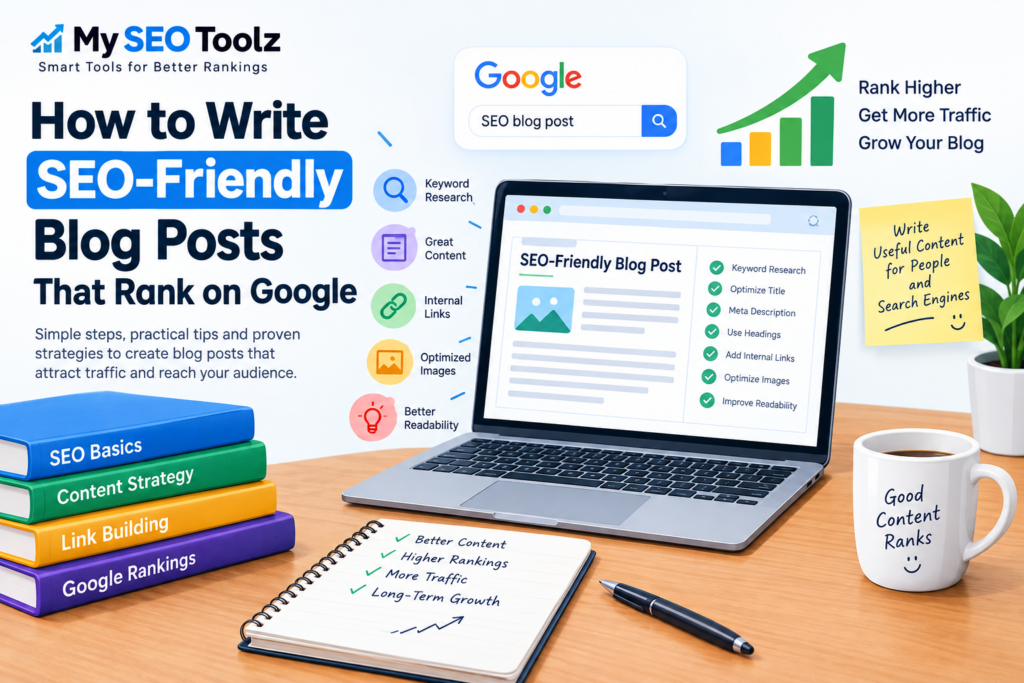
If you want your content to rank higher in search results, you need to create content that works for both search engines and real people. This means understanding search intent, choosing the right keywords, creating useful content, optimizing your headings and metadata, and making your article easy to read.
In this guide, you’ll learn how to write SEO-friendly blog posts that have a better chance of ranking on Google.
What Is an SEO-Friendly Blog Post?
An SEO-friendly blog post is content created and structured in a way that makes it easy for search engines to understand while providing genuine value to readers.
A well-optimized blog post typically includes:
- A clear search-focused topic
- Relevant keywords
- Helpful and original information
- A logical heading structure
- An optimized SEO title
- A compelling meta description
- Descriptive URLs
- Internal and external links where appropriate
- Optimized images and alt text
- Good readability
- Content that satisfies the reader’s search intent
SEO isn’t about inserting the same keyword into every paragraph. Modern SEO is much more focused on helpfulness, relevance, clarity, and user experience.
1. Start With Keyword Research
Before writing your article, determine what people are actually searching for.
Keyword research helps you discover the words and phrases your target audience uses in search engines.
For example, if you want to write about SEO blogging, potential keywords could include:
- SEO-friendly blog posts
- how to write SEO-friendly content
- how to write blog posts that rank
- SEO blog writing
- how to rank blog posts on Google
- SEO content writing
Choose a primary keyword that closely matches the main topic of your article.
You can then use related terms and variations naturally throughout the content.
Don’t Focus Only on Search Volume
A keyword with thousands of searches isn’t automatically the best keyword.
Consider:
- Search intent
- Competition
- Relevance to your website
- The type of content currently ranking
- Whether the keyword can attract the right audience
The best keyword is often the one that matches your content and your audience—not necessarily the one with the highest search volume.
2. Understand Search Intent
Search intent is the reason behind a person’s search.
Before writing, ask:
“What does someone actually want when they search for this keyword?”
Search intent generally falls into several categories.
Informational Intent
The user wants to learn something.
Examples:
- What is SEO?
- How does keyword research work?
- How to write a meta description
Navigational Intent
The user is looking for a specific website or page.
Examples:
- Google Search Console
- My SEO Toolz
- Facebook login
Commercial Intent
The user is researching products or services before making a decision.
Examples:
- Best SEO tools
- Best keyword research tools
- SEO tools for bloggers
Transactional Intent
The user is ready to take an action, such as purchasing or signing up.
Examples:
- Buy SEO software
- SEO tool pricing
- Website audit tool
Your article should match the intent behind your target keyword.
3. Create a Strong SEO Title
Your title is one of the first things users see in search results.
A good SEO title should clearly communicate what the article is about while giving people a reason to click.
For example:
Weak:
“Blog Writing Tips”
Better:
“How to Write SEO-Friendly Blog Posts That Rank on Google”
The second title is more specific and clearly communicates the benefit.
Tips for Writing SEO Titles
- Keep the title clear and descriptive
- Include your primary keyword naturally
- Make the benefit obvious
- Avoid unnecessary keyword repetition
- Write for humans first
- Make the title match the actual content
You can use an SEO title generator to create and test different title ideas before publishing.
4. Write a Compelling Introduction
The introduction should quickly explain what the reader will learn and why the article is worth reading.
Avoid long introductions that take several paragraphs to reach the point.
A strong introduction can:
- Identify the reader’s problem
- Explain what the article will help them accomplish
- Give them a reason to continue reading
For example:
Want your blog posts to get more traffic from Google? SEO-friendly content isn’t just about adding keywords. You need to understand search intent, create useful information, optimize your page, and make the content easy for both readers and search engines to understand.
Then move directly into the useful information.
5. Use Headings to Organize Your Content
Headings make your article easier to scan.
Use a logical hierarchy:
- H1: Main article title
- H2: Main sections
- H3: Subsections
- H4: Supporting sections when necessary
For example:
H1: How to Write SEO-Friendly Blog Posts
H2: How to Write SEO-Friendly Blog Posts
H2: Keyword Research
H3: How to Choose a Primary Keyword
H3: How to Find Related Keywords
Don’t use headings simply to add keywords. Every heading should help organize the information.
6. Use Keywords Naturally
Once you’ve selected your primary keyword, use it naturally throughout the article.
You can include your main topic in places such as:
- SEO title
- Introduction
- Main heading
- Relevant subheadings
- Body content
- URL slug
- Meta description
- Image alt text when genuinely descriptive
However, don’t force keywords into sentences where they don’t belong.
Keyword stuffing can make content difficult to read and can negatively affect the user experience.
Instead of repeatedly writing:
“SEO-friendly blog posts are important because SEO-friendly blog posts help you write SEO-friendly blog posts…”
Write naturally:
“Creating search-friendly content starts with understanding what your audience wants to find. Once you understand the topic and intent, you can structure your article around the questions readers are trying to answer.”
The goal is to cover the topic comprehensively—not hit an arbitrary keyword density.
7. Create Helpful, Original Content
One of the most important parts of SEO is the quality of the content itself.
Ask yourself:
Does this article actually solve the reader’s problem?
A useful article should provide information that is:
- Accurate
- Relevant
- Clear
- Original
- Practical
- Easy to understand
Instead of writing 2,000 words just to reach a certain word count, focus on answering the user’s questions.
Sometimes a useful 800-word article is better than a repetitive 3,000-word article.
8. Cover the Topic Completely
A strong article doesn’t just answer the main question. It also addresses important related questions.
For example, an article about SEO-friendly blog posts could cover:
- What SEO-friendly content means
- Keyword research
- Search intent
- SEO titles
- Meta descriptions
- Headings
- Internal linking
- Images
- Content structure
- Readability
- Content updates
- SEO mistakes to avoid
Think about the questions a reader may have after reading each section.
This helps create a more useful resource and can naturally increase topical relevance.
9. Optimize Your Meta Description
A meta description is a short summary that can appear beneath your page title in search results.
Although the meta description isn’t a direct ranking factor, a well-written description can help communicate what the page offers and encourage clicks.
For this article, an example could be:
Learn how to write SEO-friendly blog posts that rank on Google. Discover keyword research, search intent, content optimization, headings, links, and more.
Meta Description Tips
- Clearly summarize the page
- Include the primary topic naturally
- Give readers a reason to click
- Avoid keyword stuffing
- Make sure the description accurately represents the article
10. Create a Short, Descriptive URL
Your URL should be simple and understandable.
For example:
Good:
/seo-friendly-blog-posts/
Less ideal:
/blog/article?id=93847&category=seo
A clean URL helps users understand what the page is about.
Keep URLs:
- Short
- Descriptive
- Relevant
- Easy to read
Avoid unnecessary words, numbers, and complicated parameters when possible.
11. Add Internal Links
Internal linking connects pages on your website.
For example, if you write an article about SEO blog writing, you could link to other relevant pages about:
- Keyword research
- Meta titles
- Meta descriptions
- Alt text
- URL slugs
- SEO audits
Internal links can help users discover more useful content while helping search engines understand the relationship between pages on your site.
Use Descriptive Anchor Text
Instead of:
“Click here”
Use:
“learn how to optimize your meta descriptions”
Descriptive anchor text gives readers and search engines more context about the destination page.
12. Use External Links When They Add Value
External links can be useful when you need to reference authoritative information, research, statistics, documentation, or other helpful resources.
Don’t add external links simply for the sake of having them.
Ask:
Does this link make the article more useful or trustworthy for the reader?
If the answer is yes, include it.
13. Optimize Images for SEO
Images can improve the readability and visual appeal of your blog posts.
However, large or poorly optimized images can hurt page performance.
Before uploading an image:
- Compress it
- Use an appropriate file format
- Give it a descriptive filename
- Use meaningful alt text
- Avoid unnecessarily large dimensions
What Is Image Alt Text?
Alt text describes an image for users who cannot see it and can provide useful context to search engines.
For example, instead of:
image123.jpg
use a descriptive filename such as:
seo-friendly-blog-post-example.jpg
And instead of generic alt text like:
SEO image
use something descriptive when appropriate:
Example of an SEO-friendly blog post structure
Don’t stuff keywords into alt text. Describe what the image actually shows.
14. Make Your Content Easy to Read
People don’t usually read online articles word-for-word. They scan them.
Make your content easier to consume by using:
- Short paragraphs
- Descriptive headings
- Bullet points
- Numbered lists
- Bold text for important concepts
- Tables where useful
- Examples
- Clear language
Avoid huge blocks of text.
Good formatting can make even a long article feel much easier to read.
15. Optimize for Mobile Users
A large portion of web traffic comes from mobile devices.
Your blog should be easy to read on smaller screens.
Check that:
- Text is readable
- Images fit the screen
- Buttons are easy to tap
- Navigation is simple
- Paragraphs aren’t too wide
- Pages load quickly
Mobile usability is an important part of providing a good overall experience.
16. Improve Page Speed
A slow website can frustrate visitors.
Review your website’s:
- Image sizes
- JavaScript
- CSS
- Hosting performance
- Caching
- Unnecessary plugins
- Third-party scripts
Don’t optimize speed at the expense of useful functionality, but remove unnecessary elements that make pages slower without providing value.
17. Add Examples and Practical Advice
One of the easiest ways to make an SEO article more useful is to show readers exactly what you’re talking about.
Instead of saying:
“Write better SEO titles.”
Show an example:
Before:
“Blogging Tips”
After:
“10 SEO Blogging Tips to Help Your Posts Rank Higher”
Examples turn abstract SEO advice into something readers can immediately understand and apply.
18. Avoid Common SEO Writing Mistakes
Even well-intentioned bloggers can make SEO mistakes.
Keyword Stuffing
Repeating the same keyword excessively can make your content unnatural.
Writing Only for Search Engines
If your article is difficult for humans to read, rankings won’t mean much.
Copying Competitors
Use competing pages for research, but create your own original and more useful resource.
Publishing Thin Content
Don’t create pages that provide little meaningful information simply to target additional keywords.
Ignoring Search Intent
If users want a tutorial and you provide a short definition, your page may not satisfy what they were looking for.
Overusing AI-Generated Content
AI can help with brainstorming, research organization, outlines, and editing, but published content should be reviewed carefully for accuracy, originality, usefulness, and real value.
Forgetting Existing Content
SEO isn’t only about publishing new articles. Updating useful existing content can also be an important part of a content strategy.
19. Update Your Blog Posts Regularly
Search results and information change over time.
An article that was accurate two years ago may now contain:
- Outdated statistics
- Old screenshots
- Broken links
- Deprecated techniques
- Outdated recommendations
Review important articles periodically.
Update information when necessary and improve sections that are no longer as useful.
Don’t change content simply to change the publication date. Make meaningful improvements.
20. Focus on People, Not Just Rankings
The ultimate goal of SEO shouldn’t be to manipulate search engines.
Your goal should be to create the best possible answer for the person searching.
When someone lands on your article, they should be able to quickly understand:
- What the page is about
- Whether it answers their question
- What they should do next
- Where they can find additional information
If readers find your content useful, they’re more likely to stay, explore your website, share your content, or return later.
SEO-Friendly Blog Post Checklist
Before publishing your article, run through this checklist:
- Is the topic relevant to my audience?
- Did I identify the primary keyword?
- Did I understand the search intent?
- Is my title clear and compelling?
- Does the introduction answer the reader’s need?
- Is the content original and genuinely useful?
- Are headings logically organized?
- Are keywords used naturally?
- Is the URL short and descriptive?
- Is the meta description optimized?
- Did I add relevant internal links?
- Did I use external links where helpful?
- Are images optimized?
- Does image alt text accurately describe images?
- Is the article easy to read on mobile?
- Does the page load quickly?
- Did I proofread the content?
- Does the article actually satisfy the search intent?
- Did I check for broken links?
- Is the content worth bookmarking or sharing?
Final Thoughts
Writing an SEO-friendly blog post isn’t about following a formula or stuffing keywords into every paragraph.
Successful SEO content starts with understanding what people are searching for and why. From there, create useful, original content that answers their questions clearly and completely.
Focus on keyword research, search intent, strong titles, logical headings, natural keyword usage, internal linking, optimized images, readability, and a good user experience.
Most importantly, write for people first and optimize intelligently for search engines.
If you’re building an SEO-focused website, the right tools can also make the content optimization process faster. Use tools for tasks such as generating SEO titles, creating meta descriptions, optimizing URL slugs, and writing descriptive image alt text.
With consistent publishing, thoughtful optimization, and regular content improvements, your blog can build stronger organic visibility over time.