

When people search for something on Google, they usually see several pages that might answer their question. Before visiting a website, they look at the page title and other information in the search results to decide which result seems most useful.
This is where a good meta title can make a difference.
A clear and relevant title helps people understand what your page is about and why they might want to visit it. It also helps search engines understand the topic of your page.
If you run a blog, business website, or SEO tools website like My SEO Toolz, learning how to write effective meta titles is an important part of on-page SEO.
In this guide, you will learn how to write meta titles that attract attention, use keywords naturally, avoid common mistakes, and improve your website’s search appearance.
What Is a Meta Title?
A meta title, commonly called an SEO title or title tag, is the HTML title that describes a webpage. It can appear as the clickable headline in Google Search results, although Google may generate a different title based on the page content and other information.
For example, if you publish an article about keyword research, your title might be:
How to Find the Right Keywords for Your Website
This title tells readers what the article covers and gives them a clear reason to explore it.
A good meta title should accurately describe the page, include the main topic, and make sense to the person searching.
Why Are Meta Titles Important for SEO?
Meta titles are important because they help users and search engines understand what a webpage is about.
Here are some reasons to pay attention to them.
1. They Help Users Understand Your Content
People want to know whether a page answers their questions. A descriptive title makes the topic clear before they click.
For example, “Website Tips” is vague, while “How to Improve Website Loading Speed” tells readers exactly what they can learn.
2. They Can Encourage More Clicks
A relevant title can help your page stand out among similar search results. When people understand the value of your content, they may be more likely to visit it.
However, no title can guarantee more clicks. Search intent, ranking position, competition, and the search results page also influence user behavior.
3. They Help Describe the Page Topic
Search engines use multiple signals to understand a webpage. The title tag is one of those signals.
A clear title that matches the page content helps establish what the page is about. It should work together with your headings, main content, and internal links.
4. They Support a Better User Experience
Accurate titles help set the right expectations. When visitors click a result and find the information promised by the title, the page is more useful to them.
Avoid exaggerated titles that promise information your article does not provide.
How to Write Meta Titles That Attract More Clicks
Follow these practical steps to write better titles for your website.
1. Include Your Primary Keyword Naturally
Start by identifying the main topic of the page and the keyword people might use to find it.
For example, if your article explains how to write meta titles, a suitable focus keyword could be:
how to write meta titles
You could use it in a title such as:
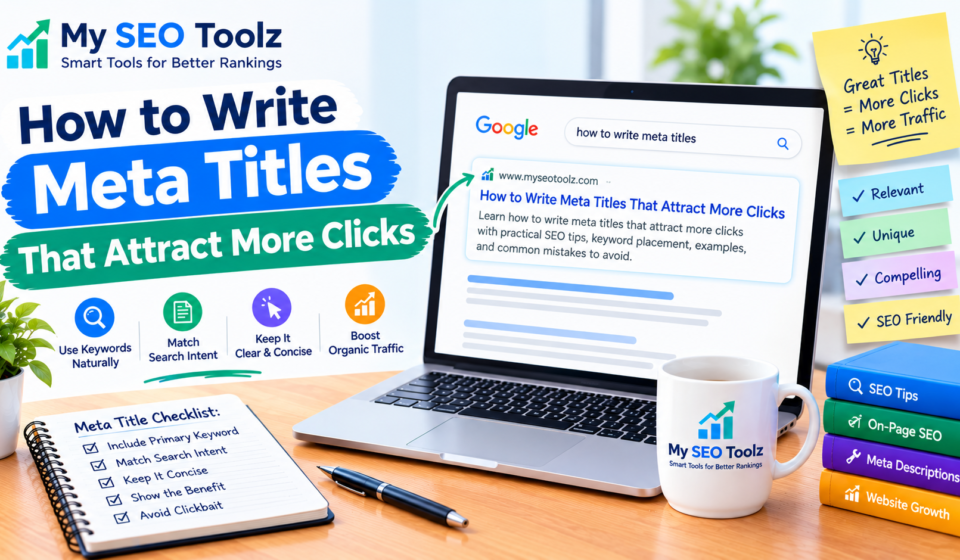
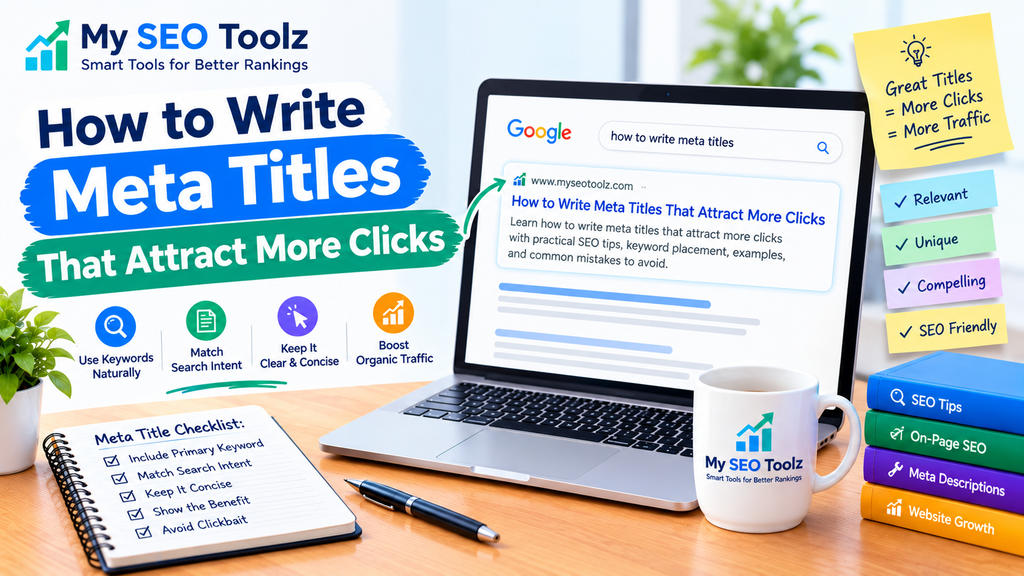
How to Write Meta Titles That Attract More Clicks
The keyword fits naturally and clearly describes the article.
You do not need to repeat the same keyword multiple times in a title. Keyword stuffing makes titles look unnatural and does not guarantee better rankings.
If you need help selecting relevant search terms, read our guide to keyword research for beginners.
2. Match the Search Intent
Search intent means the reason behind a person’s search.
Someone searching for “how to write meta titles” probably wants instructions and examples. A title that promises a practical guide is more suitable than one that sounds like a product advertisement.
Consider these examples:
- Search query: “how to improve website speed”
- Suitable title: “How to Improve Website Loading Speed”
- Search query: “what is keyword research”
- Suitable title: “What Is Keyword Research? A Beginner’s Guide”
- Search query: “meta title generator”
- Suitable title: “Meta Title Generator: Create SEO-Friendly Titles”
Choose a title that matches what the page actually offers.
3. Make Your Title Clear and Specific
Avoid titles that are too broad or confusing.
For example:
Weak title: SEO Tips
Better title: 7 Practical SEO Tips for a New Website
The second title gives readers a clearer idea of what they will find.
Only use numbers when they accurately reflect the article. If your guide includes ten steps, you can mention ten steps in the title. Do not add a number simply to make the title look attractive.
4. Keep Your Title Concise
There is no fixed character limit that guarantees a perfect SEO title. Google may display different title lengths depending on the available space and the device.
As a practical starting point, many website owners aim for roughly 50–60 characters. However, the most important thing is to communicate the page topic clearly.
For example:
Long title: A Complete Guide Explaining All the Different Ways to Write Better Meta Titles for Your Website
Improved title: How to Write Better Meta Titles for SEO
The shorter version is easier to understand and communicates the main topic quickly.
Do not remove important words just to meet a specific character count.
5. Explain the Benefit of Reading the Page
A title can be more appealing when it tells readers what they will learn.
Compare these examples:
- “Internal Linking”
- “How to Build an Effective Internal Linking Strategy”
- “Website Images”
- “How to Optimize Images for SEO”
The second title in each pair communicates a clearer purpose.
Use words such as “guide,” “tips,” “steps,” or “examples” when they accurately describe the content. Avoid adding unnecessary promotional language.
6. Make Every Page Title Unique
Each important page on your website should have a title that accurately describes its own content.
If several articles use the same title, users may struggle to distinguish them. Search engines may also choose a different title when the supplied title is repetitive or unclear.
For example, instead of using “SEO Tips for Beginners” on several pages, give each article a specific title:
- How to Find Low-Competition Keywords
- How to Write SEO-Friendly Blog Posts
- How to Optimize Images for SEO
If you want to learn how title tags and meta descriptions work together, see our guide to writing better meta titles and meta descriptions.
7. Use Your Brand Name When Appropriate
Adding your website or brand name can help users recognize your content.
For example:
How to Write Meta Titles That Attract More Clicks | My SEO Toolz
Whether you include the brand name depends on the page, available space, and your website’s title format.
You do not need to force the brand name into every title if it makes the title too long or less useful. Google may also add site names to search results independently.
8. Avoid Clickbait and Misleading Promises
A title should attract the right readers without misleading them.
For example:
Misleading title: This Secret Guarantees First Place on Google
Better title: Practical Ways to Improve Your Website’s SEO
No meta title can guarantee first place in Google. Use accurate language and make sure your content delivers what the title promises.
Honest titles help visitors understand what they are about to read.
Meta Title Examples for Different Website Pages
Here are some examples you can use as inspiration.
| Page topic | Example SEO title |
|---|---|
| Keyword research | How to Find the Right Keywords for Your Website |
| Image optimization | How to Optimize Images for SEO |
| Internal linking | How to Build an Effective Internal Linking Strategy |
| Website speed | How to Improve Website Loading Speed |
| Technical SEO | Technical SEO Checklist for Beginners |
| SEO tools | Free SEO Tools to Help Improve Your Website |
| Meta descriptions | How to Write Better Meta Descriptions |
Treat these as examples, not guaranteed ranking formulas. Adjust each title to match your actual page content and target audience.
How to Add or Edit Meta Titles in WordPress
If your website uses WordPress with Rank Math SEO, you can edit your SEO title directly from the post editor.
Follow these steps:
- Open your WordPress dashboard.
- Go to Posts and select the article you want to edit.
- Open the Rank Math SEO panel.
- Find the Edit Snippet option or the SEO title field.
- Enter a clear, relevant title.
- Preview the snippet if the option is available.
- Update or publish your article.
The exact interface may vary depending on your Rank Math version.
Remember that the SEO title is not necessarily the same as your article’s main heading. Your WordPress post title and your SEO title can be similar, but you can adjust the SEO title when a different version communicates the topic more clearly.
For more on improving the rest of your page, read our on-page SEO checklist.
How to Check Whether Your Meta Titles Are Working
After publishing or updating a page, review its performance instead of assuming that a title change will automatically improve results.
Use Google Search Console
Google Search Console helps you review impressions, clicks, click-through rate (CTR), and average position for your pages.
To check performance:
- Open Google Search Console.
- Select your website property.
- Open the Search results report.
- Choose a date range.
- Review the Pages and Queries tabs.
- Compare performance over similar periods.
If a page receives many impressions but relatively few clicks, review its title alongside the search queries and average position.
Low CTR does not automatically mean the title is poor. Search intent, ranking position, competition, and other search result features can affect clicks.
For step-by-step help, see our guide to using Google Search Console to improve SEO.
Test Changes Carefully
Avoid changing titles repeatedly after only a short period.
Instead, identify pages with a clear opportunity for improvement, make a meaningful change, and monitor performance over a reasonable period. Consider other changes to the page and any seasonal differences before drawing conclusions.
Common Meta Title Mistakes to Avoid
Even a well-written article can have an unhelpful SEO title. Watch out for these common mistakes.
Keyword Stuffing
Repeating a keyword several times can make the title difficult to read.
Write for people first and use the primary keyword naturally when it fits.
Using the Same Title on Multiple Pages
Duplicate titles can make pages harder to distinguish. Give each page a unique title that reflects its specific topic.
Making Titles Too Vague
Titles such as “Welcome,” “Information,” or “SEO Article” do not explain much about the content.
Use descriptive wording so readers understand the subject.
Writing Titles That Do Not Match the Content
If a title promises a complete guide but the page contains only a few basic sentences, visitors may feel disappointed.
Make sure the page delivers the information promised by the title.
Focusing Only on Character Count
A title does not become effective simply because it falls within a specific number of characters. Clarity, relevance, and accuracy are more important than hitting an exact count.
Expecting Google to Always Display Your Exact Title
Google may generate a different title link when it considers another text more useful for a particular search. This can happen for several reasons, including repetitive titles or a mismatch between the title and the page content.
Use a clear title tag and make sure the main heading and page content support the same topic.
Meta Titles, AEO, and GEO
Answer Engine Optimization (AEO) and Generative Engine Optimization (GEO) focus on making content useful and understandable in answer-focused and generative search experiences.
A clear meta title helps communicate the page topic, but it does not guarantee that an answer engine or generative search system will select your content.
To support a helpful search experience:
- Use titles that describe the page accurately.
- Answer the reader’s main question clearly.
- Organize the article with descriptive headings.
- Provide useful examples and accurate information.
- Connect related pages with relevant internal links.
- Keep titles, headings, and content consistent.
These practices help readers understand your page and support a well-organized website.
Frequently Asked Questions
What is a good length for an SEO title?
There is no strict character limit that guarantees a title will display fully. Around 50–60 characters can be a useful starting point, but clarity and relevance should come first.
Do meta titles directly affect Google rankings?
Title tags are one of the signals Google can use to understand a page. They can also influence how the page appears in search results. Rankings depend on many factors, so a title change alone does not guarantee improvement.
Should I include my focus keyword in the SEO title?
Include your primary keyword when it fits naturally and accurately describes the page. Avoid forcing it into a title where it makes the wording awkward.
Can I use the same SEO title on different pages?
It is better to create unique titles for distinct pages. Each title should help readers understand what makes that particular page useful.
What is the difference between an SEO title and a meta description?
The SEO title describes the page and may appear as the clickable headline in search results. The meta description provides a short summary of the page, although Google may choose other page text for the search snippet.
Why does Google show a different title from the one I wrote?
Google may generate a different title link using information such as the title tag, visible main heading, page content, and references to the page. Keep these elements clear, relevant, and consistent.
Can a better meta title increase website traffic?
A more relevant title may help attract clicks when a page appears in search results. However, traffic also depends on impressions, rankings, search intent, competition, and other factors. There is no guaranteed result.
Final Thoughts
Writing effective meta titles is a simple but important part of improving your website’s search appearance. Start by understanding your audience, choosing a relevant keyword, and writing a title that clearly explains what the page offers.
Keep titles concise when possible, make them unique, and avoid keyword stuffing or misleading promises. Then use Google Search Console to monitor performance and identify pages that may benefit from improvements.
For My SEO Toolz, consistent title optimization can help make your SEO guides and online tools easier for visitors to understand. Focus on clear, accurate titles that match useful content, and improve them thoughtfully over time.