
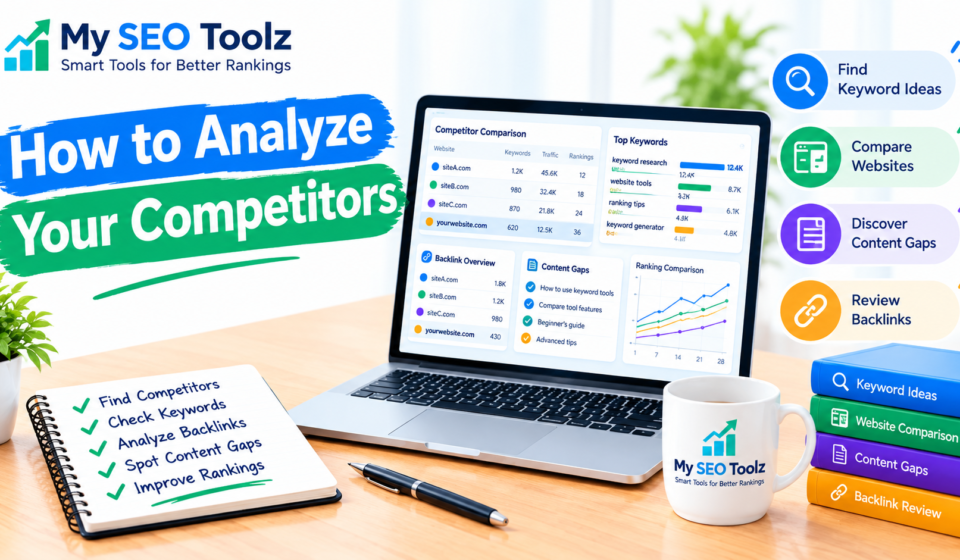

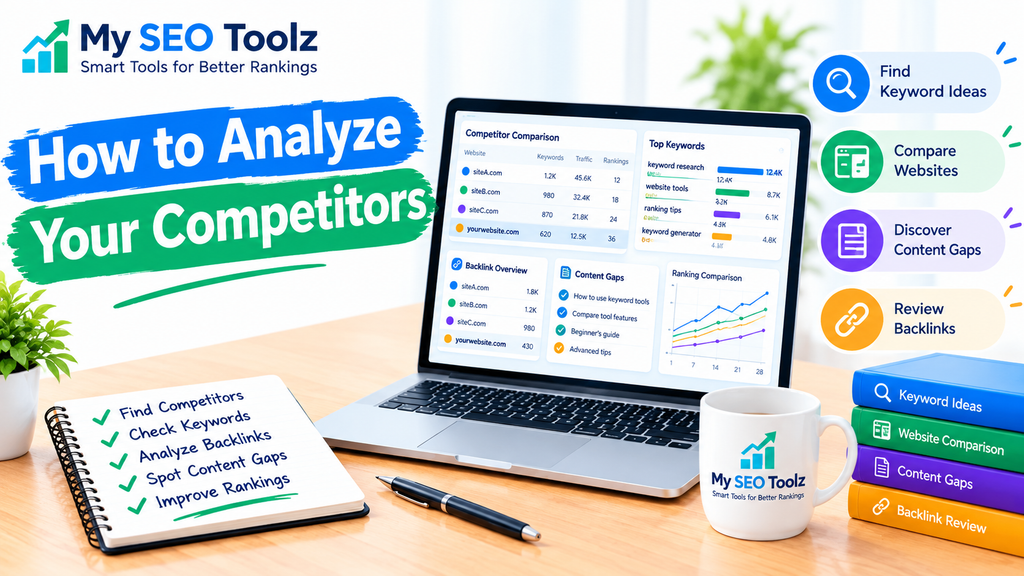
SEO competitors ko analyze karna aapki website ki search rankings improve karne ka ek useful tareeqa hai. Isse aap samajh sakte hain ke doosri websites Google par aapse upar kyun rank kar rahi hain, woh kin keywords ko target kar rahi hain, aur unke content mein kya cheezein achha perform kar rahi hain.
Aapko competitors ki strategy copy karne ki zaroorat nahi hai. Iske bajaye, unki strengths aur weaknesses ko samajh kar apni website ke liye ek behtar SEO strategy banani chahiye.
Is guide mein aap seekhenge ke SEO competitors ko kaise identify karein, unke keywords kaise analyze karein, backlinks kaise check karein, aur apni website ki search visibility improve karne ke liye is information ka use kaise karein.
What Is SEO Competitor Analysis?
SEO competitor analysis is the process of studying other websites that compete with your website in search engine results.
For example, agar aapki website SEO tools, keyword research, ya website optimization ke baare mein content publish karti hai, to aapke competitors woh websites hongi jo inhi topics par rank kar rahi hain.
Competitor analysis se aapko pata chal sakta hai:
- Which keywords your competitors are ranking for
- What type of content attracts search traffic
- Which websites link to your competitors
- How their pages are organized
- Which topics your website has not covered yet
- Where you can improve your own content
The goal is simple: understand what works in your niche and find opportunities to make your website more helpful and competitive.
Why Is SEO Competitor Analysis Important?
Publishing blog posts regularly is helpful, but creating content without understanding your competition can make it harder to achieve good results.
SEO competitor analysis helps you make informed decisions instead of guessing which topics to cover.
1. Find Better Keyword Opportunities
Your competitors may rank for useful keywords that you have not targeted yet. Analyzing these keywords can give you new ideas for blog posts, landing pages, and SEO tools.
For example, if a competitor ranks for “how to check website indexing,” you could create a detailed guide explaining how beginners can identify and fix common indexing problems.
2. Understand What Readers Want
Competitor pages can help you understand the type of information people expect when searching for a particular topic.
Some searches need a simple definition, while others require a step-by-step tutorial or a practical comparison. Understanding this difference helps you create content that answers the searcher’s question more effectively.
3. Discover Backlink Opportunities
Backlinks are links from other websites to your website. By studying competitor backlinks, you can discover relevant websites, industry blogs, and resource pages that may be worth approaching.
However, not every backlink is valuable. Focus on relevant, trustworthy links rather than trying to collect as many as possible.
4. Find Content Gaps
A content gap is a topic or question that competing websites cover but your website does not explain well enough.
Finding these gaps helps you plan useful articles that support your existing content and give readers more complete information.
How to Analyze Your SEO Competitors Step by Step
You do not need an expensive SEO subscription to begin competitor analysis. Free tools, Google search results, and a simple spreadsheet can help you get started.
Step 1: Identify Your Real SEO Competitors
Your SEO competitors are not always the same as your business competitors.
A business competitor might sell the same products or services as you. An SEO competitor is any website that competes with your pages for the same search queries.
Start by searching Google for five to ten important keywords related to your website.
For example, if you run an SEO tools website, search for phrases such as:
- Free keyword research tools
- How to check website indexing
- How to improve website loading speed
- Meta title generator
- How to analyze website traffic
Look at the websites appearing repeatedly in the results. These are potential SEO competitors.
Choose three to five relevant websites for your initial analysis. Avoid analyzing every website in your industry because it can take too much time and make your findings difficult to organize.
Step 2: Analyze Your Competitors’ Keywords
Keyword analysis helps you understand which search terms competitors target and which topics bring potential visitors to their websites.
You can begin with Google search suggestions, related searches, Google Search Console for your own site, and free keyword research tools.
For each competitor, look for:
- Main keywords used in page titles
- Related keywords included in headings
- Specific long-tail search phrases
- Questions answered in their articles
- Topics covered by several competing websites
For example, a competitor targeting “website loading speed” may also cover image optimization, browser caching, page performance, and mobile speed.
These related subjects can help you plan a more complete article.
Remember that seeing a keyword on a competitor’s page does not prove that the page receives significant traffic. Use available keyword data where possible, and treat estimated search volumes as estimates rather than exact figures.
Step 3: Study Their Top-Performing Content
After identifying your competitors, examine the pages that rank for your target keywords.
Pay attention to the information that makes each page useful.
Check the following:
- Does the article answer the main question quickly?
- Are the headings clear and descriptive?
- Does it include practical steps and examples?
- Is the information accurate and up to date?
- Does it include useful screenshots, illustrations, or tables?
- Does it link to related articles?
- Are there important questions left unanswered?
For example, if a competing article explains keyword research but does not show beginners how to compare keyword difficulty, you could make your guide more useful by including a clear explanation and a practical example.
Do not simply make your article longer than the competing page. Focus on accuracy, clarity, completeness, and usefulness.
Step 4: Check Your Competitors’ Backlinks
Backlink analysis helps you understand which external websites link to competing pages.
You can use backlink tools such as Ahrefs, Semrush, or Moz. Their available features and free access limits may vary.
When reviewing backlinks, look for:
- Links from websites relevant to your topic
- Editorial links within useful articles
- Links pointing to competitor guides or resources
- Websites that regularly publish content in your niche
- Potential resource pages where your content could also be useful
Suppose a competitor has a useful guide about keyword research that receives links from several marketing blogs. If you have created a genuinely helpful resource on the same topic, you could contact relevant site owners and explain why your resource may help their readers.
Avoid buying spammy links or using automated link schemes. A smaller number of relevant, naturally earned backlinks can be more useful than a large collection of low-quality links.
For more practical advice, read How to Build Quality Backlinks for Your Website.
Step 5: Compare On-Page SEO
On-page SEO includes the elements you can improve directly on your website, such as titles, headings, page content, internal links, and image descriptions.
Compare your pages with competing pages targeting the same keyword.
Check whether your content has:
- A clear, relevant page title
- A helpful introduction
- Descriptive headings
- Natural keyword usage
- Useful internal links
- Descriptive image alt text
- A logical page structure
- Accurate information that satisfies search intent
For example, if a competitor’s article answers the main question in the opening paragraph while your article takes several paragraphs to reach the point, improving your introduction may make your content easier to use.
Do not force keywords into every heading or sentence. Natural writing and helpful information should come first.
Step 6: Compare Website Speed and User Experience
Website performance can affect how visitors experience your pages. Slow loading, confusing navigation, and difficult mobile layouts can make it harder for people to use your website.
Use Google’s PageSpeed Insights to test your own pages and selected competitor pages.
Compare available measurements, including:
- Core Web Vitals
- Loading performance
- Mobile usability
- Image optimization
- Layout stability
- Navigation and readability
Test similar pages under comparable conditions where possible. Performance results can change based on the device, network, page content, and testing conditions.
Competitor analysis can reveal areas worth investigating, but remember that a faster website does not automatically outrank every slower competitor. Content relevance, search intent, and many other factors also matter.
You can also read How to Improve Website Loading Speed for practical optimization ideas.
Step 7: Find Content Gaps and New Topics
Content gap analysis helps you identify useful topics that your website has not covered or has only explained briefly.
Start by comparing the topics covered by three to five competitors. Write down recurring questions, related subjects, and keywords that match your audience’s needs.
For an SEO tools website, possible content opportunities might include:
- How to Find High-Traffic Keywords for Your Website
- How to Fix Website Indexing Issues in Google
- How to Analyze Your SEO Competitors
- How to Measure SEO Performance for Your Website
- How to Optimize Content for Featured Snippets
Before creating a new article, check whether you already have a page covering the same topic. If you do, improving that existing page may be more useful than publishing a similar article.
Choose content gaps that are relevant to your website and that you can cover with accurate, genuinely helpful information.
Step 8: Review Their Internal Linking Strategy
Internal links connect one page on a website to another page on the same website. They help visitors discover related content and help search engines understand relationships between pages.
Study how your competitors connect their articles, guides, and important landing pages.
Look for opportunities to improve your own internal links by connecting related topics naturally.
For example, an article about keyword research could link to a related guide about organic traffic or content optimization, provided that the linked page genuinely supports the reader’s next step.
You can learn more in How to Build an Effective Internal Linking Strategy.
Use relevant anchor text that describes the destination page. Avoid adding links simply to increase the number of links in an article.
Step 9: Track Your Competitors Regularly
SEO competitor analysis should not be a one-time task. Rankings, content, and competing websites can change over time.
Create a simple spreadsheet and record your findings.
| What to Track | What to Record |
|---|---|
| Competitor website | Website name and URL |
| Target keyword | Search phrase being analyzed |
| Ranking page | Page URL and observed position |
| Content quality | Strengths and missing information |
| Backlinks | Relevant link opportunities |
| Content gaps | Topics you could cover better |
| Action required | The next improvement to make |
Review your priority keywords every few weeks or monthly, depending on how actively you publish content.
Google Search Console can help you monitor your own impressions, clicks, click-through rate, and average search position. These measurements are more useful for tracking your actual website performance than relying only on competitor estimates.
Best Tools for SEO Competitor Analysis
Several tools can help you research competitors and find opportunities.
Google Search
Google is a good starting point for identifying ranking competitors, understanding search intent, and discovering related questions.
Search your target keywords and examine the pages that consistently appear in the results.
Google Search Console
Search Console provides performance information for your verified website, including queries, impressions, clicks, and average position.
It does not provide a complete view of competitors’ private search data, but it helps you identify where your own website is performing well or needs improvement.
Google PageSpeed Insights
Use PageSpeed Insights to review loading performance and Core Web Vitals for individual pages.
It is useful for diagnosing performance issues and deciding which technical improvements to prioritize.
Ahrefs
Ahrefs provides SEO research features for exploring backlinks, keywords, competing pages, and content opportunities. Access to specific reports may depend on your plan.
Semrush
Semrush offers competitor research, keyword analysis, backlink reports, and other SEO features. Available data and usage limits depend on the selected plan.
Moz
Moz provides SEO research tools that can help with keyword discovery, backlink analysis, and website comparisons.
Which tool should beginners use?
Start with Google Search, Google Search Console, and PageSpeed Insights. Add a paid research tool only when you need deeper keyword or backlink information.
Common SEO Competitor Analysis Mistakes to Avoid
Competitor research is useful, but some mistakes can lead to poor decisions.
Copying competitor content: Use competitor pages to understand the topic, not to duplicate their wording or structure.
Targeting every competitor keyword: Choose keywords that match your website, audience, and goals.
Ignoring search intent: A page can contain the right keyword but still fail to answer what the searcher wants to know.
Focusing only on backlinks: Links matter, but content quality, technical performance, relevance, and user experience also deserve attention.
Trusting estimates as exact data: Third-party SEO tools provide estimates. Confirm your own performance through reliable first-party data whenever possible.
Making too many changes at once: Prioritize the most important improvements and monitor the results before deciding what to do next.
Conclusion
SEO competitor analysis helps you understand your position in search results and discover practical ways to improve your website.
Start by identifying your main competitors, researching their keywords, reviewing their content, checking relevant backlinks, and finding topics they have not covered well. Then use those findings to improve your own pages and create more helpful content.
You do not need to copy successful websites or use every available SEO tool. A clear process, regular reviews, and useful content can help you make better SEO decisions over time.
Begin with three relevant competitors and a small group of target keywords. As you learn more about your audience and your website’s performance, expand your research and focus on the opportunities most likely to help your website grow.
Frequently Asked Questions
1. What is SEO competitor analysis?
SEO competitor analysis is the process of examining websites that compete with your pages in search results. It includes researching keywords, content, backlinks, and on-page SEO to identify opportunities for improvement.
2. How do I find my SEO competitors?
Search Google for important keywords related to your website. Identify the websites that repeatedly appear in the results for those searches. These are your potential SEO competitors.
3. Which tools are best for SEO competitor analysis?
Google Search, Google Search Console, and PageSpeed Insights are useful starting points. Ahrefs, Semrush, and Moz can provide additional keyword and backlink research features.
4. Can I analyze SEO competitors for free?
Yes. You can start with Google Search, Search Console for your own website, and PageSpeed Insights. Some SEO research platforms also offer limited free features.
5. How often should I analyze my SEO competitors?
A monthly review is a practical starting point for many websites. You can check important keywords more frequently if your niche is highly competitive or you publish content regularly.
6. What should I check first when analyzing a competitor?
Start with the keywords and pages competing for your target searches. Then review search intent, content quality, on-page SEO, backlinks, and any important topics your website has not covered.
7. Does SEO competitor analysis improve rankings?
Competitor analysis can help you make better decisions about content and optimization, but it does not guarantee higher rankings. Results depend on how effectively you apply your findings and on other ranking factors.
8. Should I copy my competitors’ keywords and backlinks?
No. Use their keywords to discover relevant topics and their backlinks to identify legitimate outreach opportunities. Create original content and earn relevant links naturally.