

How to Improve On-Page SEO: 10 Easy Ways to Optimize Your Website
If you have started learning about websites and search, you have probably heard the term on-page SEO. It can sound technical at first, but the basic idea is quite simple.
On-page SEO is about improving the pages on your website so that search engines can understand them more easily and visitors can find useful information without getting confused.
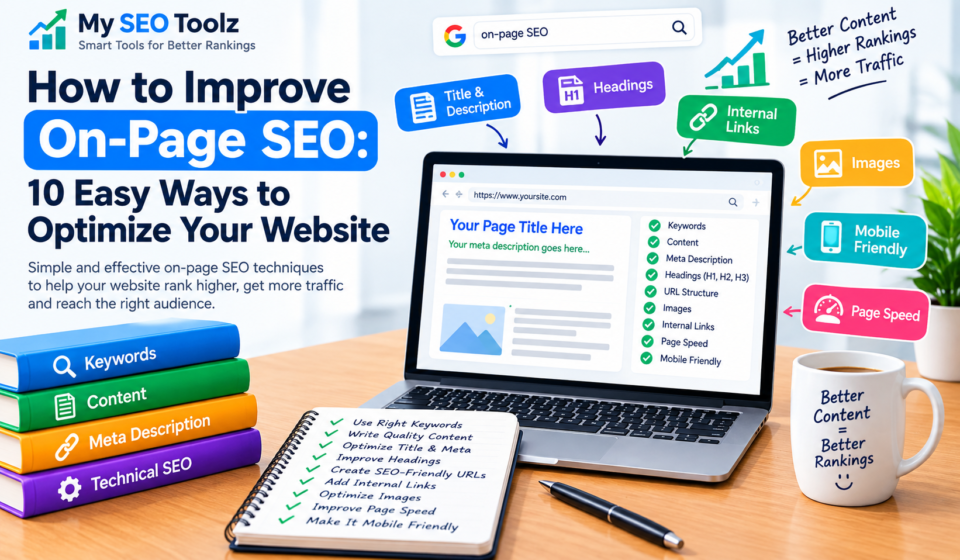
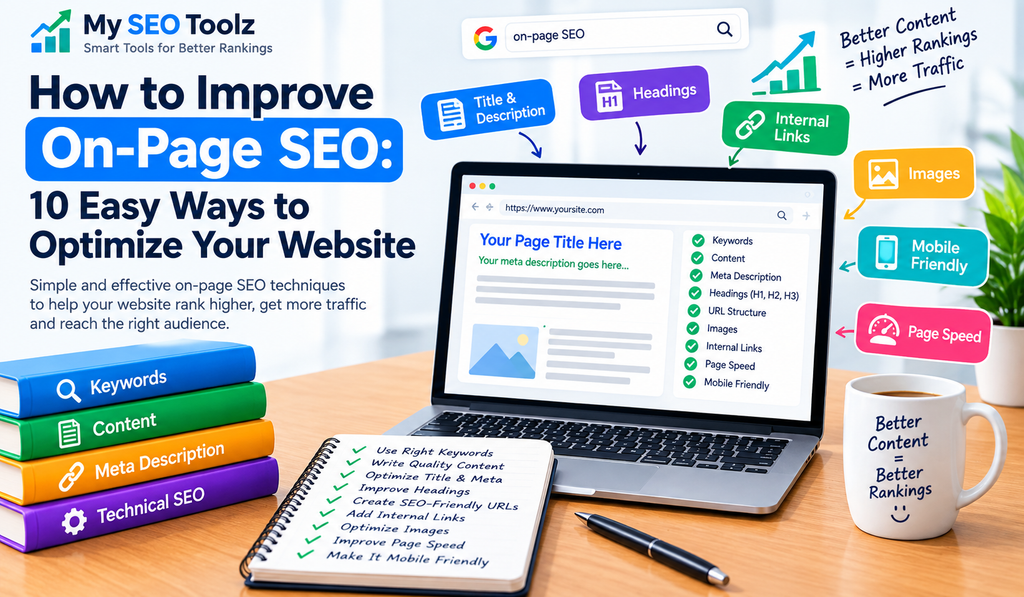
This can include your page title, headings, content, keywords, URLs, meta descriptions, images, alt text, and internal links.
The good news is that you don’t need to change everything at once. A few simple improvements can make your pages clearer and easier to use.
In this guide, we’ll look at 10 practical on-page SEO techniques that beginners can use to improve their website.
What Is On-Page SEO?
On-page SEO means improving individual pages on your website.
For example, if you have a blog post about keyword research, you can improve its title, headings, content, URL, images, and internal links.
The purpose isn’t to add keywords everywhere.
Instead, you want to create a page that clearly explains its topic and gives visitors a useful experience.
Some common areas include:
- Page titles
- Headings
- Main content
- Keywords
- URLs
- Meta descriptions
- Internal links
- Images
- Alt text
- Readability
When these elements work together, your page becomes easier for both visitors and search engines to understand.
Why Is On-Page SEO Important?
Think about the last time you visited a website from Google.
You probably wanted an answer quickly. If the page had a confusing title, huge blocks of text, or information that didn’t match your search, you might leave and look somewhere else.
Good website optimization starts with making the page useful for the person reading it.
Clear headings help visitors find sections. A descriptive title tells them what to expect. Helpful content answers their questions. Internal links can take them to related information.
On-page SEO is therefore not just about search engines. It is also about creating a better website for real people.
10 Easy Ways to Improve On-Page SEO
1. Write a Clear Page Title
Your page title should tell readers exactly what they are going to find.
For example:
Weak:
SEO Tips
Better:
How to Improve On-Page SEO: 10 Easy Ways to Optimize Your Website
The second title gives much more context.
When creating an SEO title, keep it:
- Clear
- Relevant
- Specific
- Easy to understand
- Natural
Don’t try to put every keyword into your title. One useful title is better than a title that feels stuffed with keywords.
2. Start With a Helpful Introduction
Your introduction should make the topic clear from the beginning.
You don’t need to spend five paragraphs introducing a simple subject.
Tell readers what the article is about and what they can expect to learn.
For example, if your article is about how to improve on-page SEO, briefly explain what on-page SEO means and mention the areas you will cover.
A good introduction makes the reader think:
“This article is exactly what I was looking for.”
That’s the feeling you want to create.
3. Organize Your Content With Headings
Nobody enjoys reading a long article that looks like one giant block of text.
Use headings to divide your content into logical sections.
For example, you might have sections for:
- Page titles
- Keywords
- Content
- Meta descriptions
- URLs
- Internal links
- Images
- Common mistakes
You can also use smaller subheadings when a section needs more detail.
Good headings make your article easier to scan, especially for people reading on a phone.
4. Use Keywords Naturally
Keywords help describe what your page is about.
For this article, the main keyword is on-page SEO.
Some related terms include:
- how to improve on-page SEO
- on-page SEO techniques
- on-page SEO for beginners
- on-page SEO checklist
- on-page SEO optimization
- website optimization
- SEO title
- meta description
- internal linking
- image alt text
Use these phrases naturally when they fit.
For example:
If you’re learning on-page SEO for beginners, start by improving your page titles, content, headings, and internal links.
That sounds natural.
What you don’t want is something like:
On-page SEO is important for on-page SEO because on-page SEO helps your on-page SEO.
That’s keyword stuffing, and it makes the article unpleasant to read.
5. Create Helpful Content
This is probably the most important part of your page.
You can optimize every technical element, but if the content doesn’t help the visitor, the page still won’t be very useful.
Before publishing, ask yourself:
- Does this answer the reader’s question?
- Is the information accurate?
- Is it easy to understand?
- Have I explained the topic properly?
- Have I included useful examples?
- Is there anything unnecessary that I can remove?
Try to write from the reader’s point of view.
Imagine someone who knows very little about the topic has opened your article.
Would they understand it?
If not, simplify your explanation.
6. Improve Your Meta Description
A meta description is a short description of a webpage that may appear in search results.
For example:
Learn how to improve on-page SEO with 10 simple techniques covering titles, keywords, content, headings, URLs, images, and internal links.
A good meta description gives people a quick idea of what they will find on your page.
Keep it natural and relevant.
Don’t write a description that simply contains a list of keywords.
For your My SEO Toolz website, you can also use your Meta Description Generator to create descriptions more quickly.
7. Keep Your URLs Simple
A clean URL is easier to understand.
For example:
myseotoolz.com/improve-on-page-seo
is much clearer than:
/improve-on-page-seo
Try to keep URLs:
- Short
- Descriptive
- Relevant
- Easy to remember
For this article, you could use:
on-page-seo-guide
You don’t need to add every related keyword to the URL.
8. Add Relevant Internal Links
Internal linking means linking one page on your website to another page on the same website.
This can be especially useful when you have several articles covering related topics.
For example, while explaining keywords, you could link to your article:
What Is Keyword Research? A Simple Guide for Beginners
If you’re discussing blog writing, you could also link to:
How to Write SEO-Friendly Blog Posts That Rank on Google
You can also connect your articles to relevant My SEO Toolz tools such as:
- Meta Description Generator
- Alt Text Generator
- Sitemap Generator
- Word Counter
- Redirect Checker
Don’t add links just for the sake of adding them.
Ask yourself:
Will this link help the reader?
If the answer is yes, it is probably a useful internal link.
9. Optimize Images and Alt Text
Images can make your content easier to understand and more visually appealing.
However, don’t add images just to fill space.
Choose images that actually support the topic.
You should also add descriptive alt text.
For example, if an image shows someone working on keyword research, suitable alt text might be:
keyword research process for SEO beginners
Alt text should describe the image accurately.
Avoid filling alt text with multiple keywords that have nothing to do with the image.
You can also use the Alt Text Generator on My SEO Toolz to help create descriptive alt text.
10. Make Your Page Easy to Read
Good content should be easy to read.
You don’t need complicated words to sound professional.
In fact, simple language often works better for beginner-focused content.
Try to:
- Keep paragraphs reasonably short
- Use clear headings
- Use bullet points where useful
- Explain technical terms
- Avoid unnecessary jargon
- Give practical examples
Also check your article on mobile.
A page that looks great on a large computer screen may still be difficult to read on a phone.
On-Page SEO vs Off-Page SEO
If you’re new to SEO, you may wonder what the difference is between on-page and off-page SEO.
On-Page SEO
On-page SEO focuses on things you can change directly on your website.
Examples include:
- Content
- Page titles
- Headings
- URLs
- Meta descriptions
- Internal links
- Images
- Alt text
Off-Page SEO
Off-page SEO generally involves things happening outside your own website.
Examples include:
- Backlinks
- Brand mentions
- Digital PR
- Website promotion
Both areas can be part of a broader SEO strategy, but they involve different types of work.
Common On-Page SEO Mistakes to Avoid
Using Keywords Too Often
Repeating the same phrase again and again can make your writing sound unnatural.
Use keywords when they make sense.
Writing Very Short Content Just to Publish
Don’t add unnecessary paragraphs just to reach a certain word count.
Focus on covering the topic properly.
Making Every Heading About a Keyword
Headings should help readers understand the article.
They don’t need to contain a keyword every time.
Ignoring Internal Links
If your website already has useful related articles, connect them where appropriate.
Forgetting Mobile Readers
Always check how your content looks on a phone.
Writing Only for Search Engines
Remember that people are reading your content.
If your writing sounds robotic, visitors may not want to continue reading.
Simple On-Page SEO Checklist
Before publishing your next article, run through this quick checklist.
Content
- Is the article useful?
- Does it answer the main question?
- Is the information clear?
- Did I remove unnecessary filler?
Keywords
- Do I have one main keyword?
- Are related keywords used naturally?
- Did I avoid keyword stuffing?
Headings
- Is the main title clear?
- Are the sections organized?
- Do the subheadings make sense?
Page Elements
- Is the URL simple?
- Is the meta description relevant?
- Is the title clear?
- Are useful internal links included?
Images
- Are the images relevant?
- Is the alt text descriptive?
- Are the images properly sized?
How Beginners Can Improve On-Page SEO Step by Step
If you’re completely new to this, don’t try to optimize every page on your website at once.
Pick one important page.
Read it from the perspective of a visitor.
Look at the title first.
Then check whether the introduction clearly explains the topic.
Review the headings and make sure the content flows naturally.
After that, check the URL, meta description, images, alt text, and internal links.
Once you’re happy with that page, move on to another one.
This approach is much easier than trying to fix your entire website in a single day.
Frequently Asked Questions
How can I improve on-page SEO?
Start by improving your page title, content, headings, URL, meta description, internal links, images, and readability. Most importantly, make sure the page provides useful information for the visitor.
What is the most important part of on-page SEO?
There isn’t one single element that guarantees success. Start with useful, relevant content and make sure the page clearly communicates its topic.
How many keywords should I use?
There is no magic number. Use your main keyword and related phrases naturally wherever they genuinely fit.
Is on-page SEO good for beginners?
Yes. Many basic on-page improvements can be done without advanced technical knowledge, which makes it a good starting point for someone learning SEO.
What is an on-page SEO checklist?
An on-page SEO checklist is a list of elements you review before publishing a page, such as the title, content, headings, URL, meta description, internal links, images, and alt text.
What is internal linking?
Internal linking means connecting one page of your website to another relevant page on the same website.
Should every page have a meta description?
It’s useful to provide a relevant meta description for important pages, but search engines may choose to display different text in search results depending on the search query.
How long does it take to improve a website?
There is no fixed timeline. You can make on-page improvements immediately, but changes in search visibility and traffic can take time and depend on many factors.
Final Thoughts
Improving your website doesn’t have to feel overwhelming.
You can start with the basics and work through your pages one at a time.
Write useful content.
Create clear titles and headings.
Use keywords naturally.
Keep your URLs simple.
Add internal links where they genuinely help.
Use relevant images and descriptive alt text.
Most importantly, write for the people who will actually read your content.
When you focus on making your pages clear, useful, and easy to navigate, you’re not just working on search optimization. You’re building a better website.
For My SEO Toolz, you can use the same approach across your blog posts and tool pages. As your website grows, these small improvements can become part of your regular publishing process.
The goal isn’t to make a page look like it was created for search engines.
The goal is to create a page that a real person is happy to read.